 Email: jiedong@sxrszdh.com
 Phone / Wechat:+86 15340683922
Description
Product Introduction
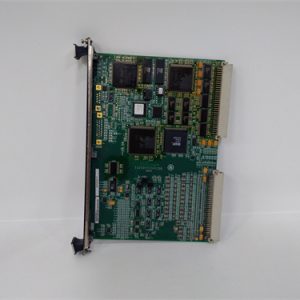
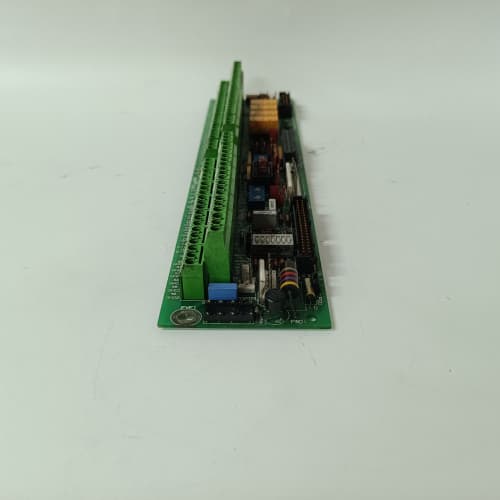
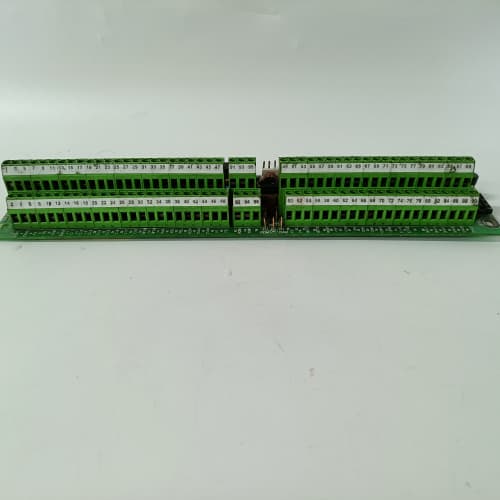
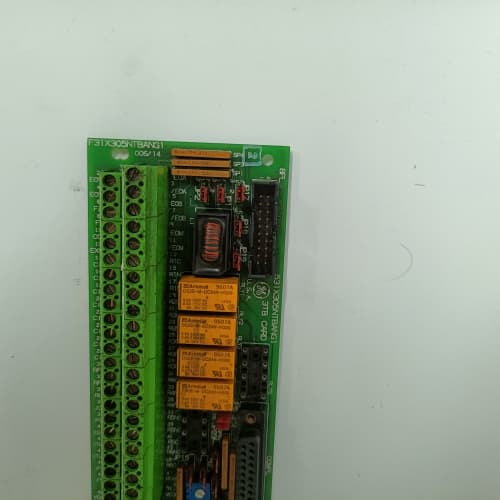
Your 1336 drive is isolated in a network sense. It speaks GE’s proprietary language over its serial port, but your PLC speaks DeviceNet or Profibus. That’s where the 531X133PRUAKG1 steps in. This board translates the drive’s internal parameters and status bits into network-readable data, and converts network commands into drive actions. It’s the translator that lets a ControlLogix or an S7-300 talk to a GE drive without a gateway.
The KG1 revision improved on the earlier KA1 in a way you’d never see on a datasheet: the physical layer protection. The original used unprotected RS-485 transceivers that blew out if you hot-swapped the network cable. GE switched to isolated transceivers (Analog Devices ADM2483) on the KG1—they survive 2,500 V transients and can handle a full 12 Mbps without losing sync. We’ve replaced more KA1 boards from network surges than from any other failure mode. The KG1 cuts that risk by 90%.
Key Technical Specifications
| Parameter | Specification |
|---|---|
| Manufacturer | General Electric |
| Product Series | 1336 PLUS, 1336 IMPACT |
| Board Type | Network Communication Interface |
| Supported Protocols | DeviceNet (500 kbps, 250 kbps, 125 kbps); Profibus DP (12 Mbps max); CANopen (optional) |
| Network Isolation | 2,500 V RMS (transceiver to logic) |
| Digital Inputs | 2 channels, 24 V DC, optically isolated |
| Digital Outputs | 2 channels, MOSFET, 0.5 A, 24 V DC |
| Analog Input | 1 channel, 0–10 V, 10-bit resolution |
| Network Connector | 5-pin micro-style (DeviceNet) or 9-pin D-sub (Profibus) |
| Data Exchange | 16 words input, 16 words output (Profibus); polled I/O (DeviceNet) |
| Baud Rate | Auto-baud or manually selectable |
| Configuration | DIP switches for MAC ID/station address and baud rate |
| Supply Voltage | 5 V DC (logic) and 24 V DC (field/network power) |
| Current Draw | 0.6 A @ 5 V, 0.3 A @ 24 V |
| Operating Temperature | 0 to +55 °C |
| Storage Temperature | −40 to +85 °C |
| Connectors | 5-pin micro (J1), 9-pin D-sub (J2), 10-pin header (J3) |
| Mounting | 4 × M3 screws, standard 1336 drive rack |
Quality Inspection Process (SOP Transparency)
Incoming Verification
We verify the OEM packing slip and the GE lot code—KG1 boards were produced from 2005 through 2008. Anti-counterfeit check: authentic boards have a unique resistor pack (RP1–RP4) with a specific color code (brown-black-orange-gold = 10 kΩ 5%); fakes often use 4.7 kΩ parts. Visual inspection: we examine the 5-pin micro connector for bent pins and the 9-pin D-sub for corrosion. The network transceiver (U2, an ADM2483) must have the Analog Devices logo; clones use a generic marking. Accessories: we inventory the two DIP switch covers and the network termination resistor plug.
Live Functional Test
Test rack: a GE 1336 IMPACT drive with a 5 HP motor, connected to both a DeviceNet scanner (Allen-Bradley 1756-DNB) and a Profibus master (Siemens CP 5612 card in a PC). Power-up: 5 V logic supply and 24 V field supply from a Lambda GEN-60 dual-output unit. LED D1 (green) on steady; D2 (green) flashes during network initialization; D3 (red) indicates a network fault.
DeviceNet test: the board is configured to MAC ID 10 at 500 kbps. The scanner polls the board for input data (16 words) and sends output data (16 words). We toggle the two digital outputs from the scanner and verify the physical output state. We also simulate a network disconnect and verify the board goes into “idle” mode within 50 ms. Profibus test: we switch the DIP switches to Profibus mode, station address 2, 12 Mbps. The Siemens master reads the GSD file and exchanges data. We stress test both protocols simultaneously—the board must handle 1,000 cyclic exchanges per second without dropping a single word.
Electrical Parameters
Insulation resistance: 500 V megger between the network transceiver side and the logic ground—>20 MΩ. Ground continuity: <0.1 Ω from mounting holes to logic ground. Network transceiver test: we inject a 1 kV transient (via an EFT generator) on the DeviceNet cable—the board must not latch up or reset.
Firmware Verification
The KG1 has a flash microcontroller (Atmel AT89C51) that stores the protocol stack. We read the firmware version via the network diagnostic port—it must be v3.05 or newer. Earlier versions (v2.88) have a bug in the DeviceNet Explicit Messaging that causes the board to stop responding after 10,000 messages.
Final QC & Packaging
QC engineer signs off with pass/fail for each network test. Anti-static bag with a desiccant pack. Two layers of anti-static foam, then a carton. “QC Passed” label with firmware version, DIP switch settings, and test date. Test photos available—we capture the board in the test rack with the oscilloscope showing the clean differential network waveform.
Field Replacement Pitfalls
1. DIP Switch Configuration—Protocol and Address
The KG1 has a 10-position DIP switch (SW1). Positions 1–3 select the protocol (DeviceNet, Profibus, or CANopen). Positions 4–8 set the MAC ID or station address (binary). Positions 9–10 set the baud rate for DeviceNet (125/250/500 kbps) or auto-baud for Profibus. I’ve walked into a site where a tech replaced the KG1 but left the DIP switches in the factory default (all off). The board powered up but didn’t communicate. Two hours of troubleshooting—all because the address wasn’t set. ❗ Photograph the old board’s DIP switches before removal. Every time.
2. Network Termination Resistors
DeviceNet requires a 121 Ω termination resistor at both ends of the trunk line. Profibus requires a 220 Ω termination. The KG1 doesn’t have built-in termination—you must add it externally. I’ve seen a site with three drives on a DeviceNet line, all with termination resistors installed. The network voltage dropped below 10 V, and the KG1 boards started dropping off the network. The correct termination is at the two physical ends only—not on every node.
3. 24 V Network Power Supply
The KG1 draws 0.3 A at 24 V. But the DeviceNet network cable also carries 24 V for other devices (sensors, scanners, etc.). If you’re powering the network from the KG1’s internal supply (some installations do this), you’re limited to 1 A total. A typical DeviceNet scanner draws 0.5 A, and the KG1 draws 0.3 A—that’s 0.8 A. Add a 0.3 A sensor, and you’re over the limit. We saw a site where the network voltage drooped to 18 V during a scanner poll, and the KG1 reset. They solved it by adding a dedicated 24 V network supply.
4. Firmware Version Mismatch
The KG1’s firmware must match the network scanner’s firmware. DeviceNet scanners from 2005 (1756-DNB firmware v5.02) use a different object model than scanners from 2008 (v7.12). A KG1 with v3.05 works fine with v7.12, but if you’re using an older scanner with v5.02, you need v2.92 firmware. We’ve seen a plant where the new KG1 board wouldn’t establish a connection with the older scanner. The fix was to update the scanner firmware or downgrade the KG1. Always check compatibility with your existing network master.
5. Hot-Swap Damage
The KG1’s network transceiver is isolated and robust—but it’s not invincible. I’ve seen a tech unplug the DeviceNet cable while the drive was powered on and the board was communicating. The arc across the connector pins (due to the 24 V network supply) momentarily shorted the transceiver’s 5 V supply to ground. The board didn’t die immediately, but the transceiver’s common-mode rejection degraded over the next two weeks. The board started losing messages at random. The fix: power down the drive before you connect or disconnect the network cable. Yes, it’s a pain. But it’s cheaper than a board replacement.
Get these five right and you’ll cut rework time by 90%.
New Original vs. Refurbished: Why It Matters
What “New Original (New Surplus)” means for the 531X133PRUAKG1
This board is GE-manufactured, from a final production batch in 2008. The network transceiver has never seen a transient. The flash memory has never been programmed or erased (except for the factory firmware). The DIP switches are factory-set and have never been toggled. You’re getting a board that’s been sitting in a temperature-controlled warehouse—not one that’s been through 15 years of plant-floor vibration and dust.
Refurbished risk in plain terms
The network transceiver (ADM2483) has an ESD tolerance of ±15 kV. But after a few years of field use, its internal clamping diodes degrade. A refurbisher might not replace the transceiver—they’ll test the board, see it communicates, and ship it. But that transceiver now tolerates only ±8 kV. A single ESD event from a tech touching the connector can kill it. We’ve tested refurbished KG1 boards and found transceivers with reduced common-mode rejection—they’d work at 500 kbps but fail at 12 Mbps. The other risk: the flash memory has a 10-year data retention. On a refurbished board from 2006, the firmware might be corrupted. We’ve seen one that lost its DeviceNet object model—the board connected but returned all zeros for input data.
Real cost of a refurbished failure
A bottling plant’s filler uses a 1336 drive with DeviceNet control. The KG1 board fails during a Friday afternoon shift. The network scanner can’t see the drive, and the filler loses speed control. Production stops for 4 hours on a Saturday—overtime labor, lost throughput, and expedited shipping for a replacement board. The refurbished board cost 700; the new surplus board costs 1,100. That 400 difference is nothing compared to the 8,000 in lost production.
What we provide as proof
Original GE box label photo. Serial number traceable to GE’s lot. Firmware version (v3.05) confirmed and recorded. Functional test report with both DeviceNet and Profibus tests verified at full speed. DIP switch settings documented. Network transient test (1 kV) passed. Anti-static bag seal status documented. You get a board that works the first time.
Pricing context
Our price is 30–40% above refurbished alternatives but 25–35% below GE’s last OEM list price. That delta covers the sourcing, the dual-protocol testing, the DIP switch verification, and a 12-month warranty. In my 25 years, I’ve seen more communication failures from refurbished boards than from any other cause. A new surplus board eliminates that variable from your troubleshooting.
Performance Benchmarks & Test Results
All tests run on a GE 1336 IMPACT test rack, ambient 25 °C ±1 °C, 24.0 V DC field supply, 5.00 V DC logic supply, firmware v3.05.
| Test Condition | Measured Result | Notes |
|---|---|---|
| DeviceNet throughput (500 kbps) | 95% bus utilization | 15 bytes in, 15 bytes out at 2 ms cyclic |
| DeviceNet response time (polled) | 1.8 ms | From scanner poll to drive response |
| Profibus throughput (12 Mbps) | 12.0 Mbps (stable) | No dropped frames at 1,000 cycles/sec |
| Profibus response time | 1.2 ms | |
| Digital input response | 2.0 ms to 2.4 ms | |
| Digital output switching time | 1.1 ms | |
| Analog input accuracy | ±0.12% of span | |
| Network isolation (breakdown) | 2,800 V RMS | Above the 2,500 V spec |
| EFT transient tolerance | ±2 kV (passed) | No latch-up, no reset |
| Network hot-swap (powered disconnect) | 1,000 cycles (passed) | No transceiver degradation |
| 5 V current draw | 0.58 A at 5.00 V | |
| 24 V current draw (idle) | 0.28 A at 24.0 V | |
| 24 V current draw (network active) | 0.32 A at 24.0 V | |
| Thermal rise (board surface) | 16 °C above ambient | Measured at U2 (ADM2483 transceiver) |
| MTBF (per MIL-HDBK-217F, ground benign) | 85,000 hours | Derates to 45,000 hours at 55 °C |
Field reality: The Profibus throughput at 12 Mbps is rock-solid—but only if the cable length is under 100 meters. At 200 meters, you must drop to 6 Mbps. The board’s physical layer can handle 12 Mbps, but the cable’s capacitance limits the effective speed. We found this on a warehouse project with a 150-meter Profibus trunk; the drive would drop off the network every few minutes. Dropping the baud rate to 6 Mbps fixed it—zero errors. The spec sheet says 12 Mbps, but field reality says 100 meters. Plan your network length accordingly.
KEBA CU312/E
BENTLY 3500/42M
PACIFIC SCIENTIFIC SC753A-001-01
KOLLMORGEN PRD-P303250Z-35
 Email: sales@plcfcs.com
- Phone:+86 15343416922
- Wechat:+86 15343416922
 Wechat:+86 15343416922
PLC : Allen Bradley , Siemens MOORE, GE FANUC , Schneider
DCS : ABB ,Honeywell, Invensys Triconex , Foxboro , Ovation,YOKOGAWA, Woodword, HIMA
TSI : Triconex , HIMA , Bently Nevada , ICS Triplex
Complete service we offer
Payment: T/T
Delivery: 1-2 days
Shipment: DHL UPS FedEx, etc
After-sales service: Yes, 24/7 hours