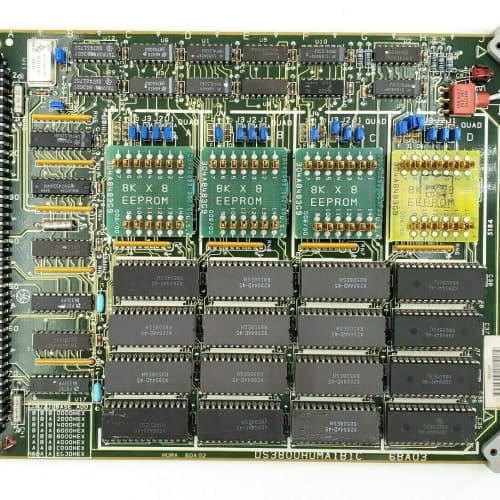
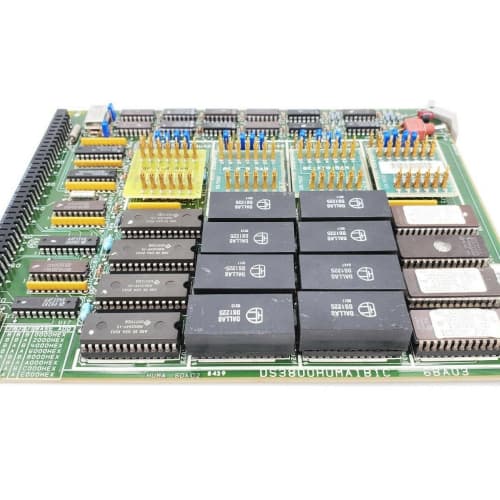
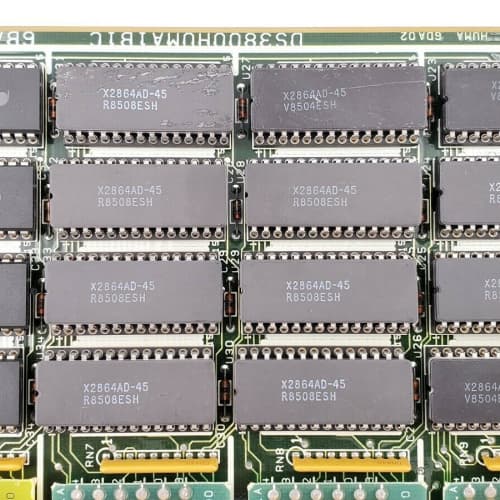
 Email: jiedong@sxrszdh.com
 Phone / Wechat:+86 15340683922
Description
Product Introduction
The Mark V doesn’t operate in isolation—it needs to exchange data with the rest of the plant. The DS4815COMC is the gateway that handles that communication: two Ethernet ports for the control network and HMI links, plus four serial ports for legacy field devices. It’s the translator that lets Modbus, DNP3, and GE’s proprietary SRTP coexist on the same backplane, passing data between the turbine controller and external systems.
Compared to the DS4815COM (non-C revision), the “C” represents a significant hardware refresh. The processor was upgraded from a 100 MHz 486-class chip to a 266 MHz PowerPC, increasing throughput for multiple concurrent connections. The Ethernet ports now auto-negotiate to 100 Mbps (the older unit was 10 Mbps only). The serial ports now support baud rates up to 230.4 kbps (up from 115.2 kbps). The onboard memory was quadrupled from 4MB to 16MB, allowing for larger protocol stacks and more connections. The terminal assignment for the serial ports changed—the D-sub pinout was re-arranged to a more standard configuration. Re-wiring is required if you’re upgrading from an older board. The firmware interface changed significantly, so you’ll need to recompile your communication configuration.
Key Technical Specifications
| Parameter | Value / Range |
|---|---|
| Ethernet Ports | 2 x 10/100Base-TX, auto-negotiating, auto-MDIX |
| Ethernet Protocols | TCP/IP, UDP, Modbus/TCP, DNP3/IP, GE SRTP, OPC (via HMI) |
| Serial Ports | 4 x RS-232/RS-485 (software-selectable per port) |
| Serial Baud Rates | 300 bps to 230.4 kbps |
| Serial Protocols | Modbus RTU, DNP3 serial, GE proprietary, ASCII |
| Serial Termination | 4 x 9-pin D-sub (female) on front panel |
| Ethernet Termination | 2 x RJ-45 (shielded) |
| Processor | 266 MHz PowerPC (upgraded from 100 MHz 486) |
| RAM | 16 MB SDRAM (4x the older unit) |
| Flash Memory | 8 MB (firmware + configuration storage) |
| Watchdog Timer | Hardware-implemented, 1.0s timeout (user-configurable) |
| Backplane Interface | VME-style 128-pin connector |
| Status LEDs | Power (green), Fault (red), Ethernet Link (green per port), Serial TX/RX (amber per port), Watchdog (flashing) |
| Power Consumption | 6 W typical, 9 W max |
| Coating | Conformal-coated |
| Operating Temp | 0°C to +60°C |
| Dimensions (W x H x D) | 280 x 120 x 40 mm (11.0 x 4.7 x 1.6 in) |
Compatible Replacement Models
| Model | Classification | Notes & Labor Estimate |
|---|---|---|
| DS4815COMC | ✅ Drop-in Replacement | Target model. Verify serial port pinout—changed from older revisions. |
| DS4815COM | ⚠️ Software Compatible | Earlier revision. 10 Mbps Ethernet, 115.2k baud max, different D-sub pinout. Hardware fits but requires re-termination and firmware/software reconfiguration. Budget 3-4 hours. |
| DS4815COMB | ⚠️ Software Compatible | Intermediate revision with 100 Mbps but 8MB RAM. Firmware is compatible with C, but you’ll lose some throughput. Verify with GE. |
| DS3800COM | ❌ Hardware Incompatible | Mark IV communications module—different backplane. Not a replacement. |
| IS420UCSBH4A | ❌ Hardware Incompatible | Mark VIe universal controller—different architecture. Not compatible. |
Frequently Asked Questions (FAQ)
Q: What protocols does the COMC support out of the box?
It comes pre-loaded with GE’s SRTP (for HMI communication), Modbus TCP (client and server), Modbus RTU (serial), and DNP3 (serial and IP). It also supports raw TCP/UDP socket connections for custom applications. The protocol selection is done in the communication configuration tool (GE’s CIMPLICITY or Toolbox). The firmware is field-upgradable—we can supply the latest version if needed. Note that the C revision uses a different configuration file format than the COM—you’ll need to rebuild your communication setup.
Q: Can I use the COMC as a Modbus gateway?
Yes. The board can act as a Modbus TCP-to-RTU gateway—it receives Modbus TCP requests from the Ethernet port and forwards them to serial devices via the RS-232/485 ports. It can also translate Modbus TCP to GE SRTP for HMI communication. The gateway function supports up to 32 concurrent connections (up from 16 on the older COM). For larger plants, you might need a dedicated gateway appliance, but for most Mark V applications, the COMC is sufficient.
Q: The watchdog timer keeps resetting the board. What’s the first thing to check?
Check the serial port for electrical noise. The watchdog trips when the processor locks up—often caused by a UART interrupt storm from a noisy serial line. Try disconnecting the serial cables one by one to identify the culprit. If the watchdog resets stop, you’ve found the problem—add a fiber optic isolator or a shielded cable to that link. You can also increase the watchdog timeout from 1s to 3s via the configuration. If the board locks up on Ethernet traffic, check for network loops or broadcast storms.
Q: What’s the maximum number of simultaneous Ethernet connections?
The COMC supports up to 64 concurrent TCP connections across both ports—32 per port. That’s a significant increase from the older COM (16 total). In a typical Mark V configuration, you’ll have 3-5 HMIs, 2-3 DCS connections, and maybe 2-3 Modbus clients—well within the limit. If you’re using both Ethernet ports, spread the load (e.g., HMI traffic on port 1, DCS traffic on port 2) to optimize performance.
Q: The Ethernet Link LED is on, but I can’t ping the board. How do I diagnose?
Check the IP address. The COMC stores its IP settings in flash memory. If the board was previously in a different rack, the IP may not match your network. Use the serial console (RS-232 port 1, 9600 baud, 8N1) to connect and check the settings. The default IP is 192.168.1.200. If that’s been changed, you can reset to factory defaults via a dip switch on the board (see GE manual). If the IP is correct, the Ethernet cable might be faulty—try a known-good cable or a crossover cable for a direct connection to a laptop.
Q: The serial port is showing garbled data. What’s the most likely cause?
Baud rate mismatch or cable wiring. The COMC and the connected device must match exactly—baud, parity, data bits, stop bits. Use the serial console to check the settings. Also, check the cable type: RS-232 requires a null modem cable (crossed TX/RX) when connecting two DTE devices. If you’re using a straight-through cable, you’ll get no communication or garbage. The COMC’s pinout is standard: Pin 2 (TX), Pin 3 (RX), Pin 5 (GND). For RS-485, use pins 2 (TX/RX+) and 3 (TX/RX-), with the shield on Pin 5.
Q: Can I use the COMC for time synchronization?
Yes. The board supports SNTP (Simple Network Time Protocol) to synchronize its internal clock with a network time server. It can also act as an SNTP server for connected devices. The board’s clock is battery-backed (CR2032) and has a drift of about ±2 seconds per day—SNTP corrects that. If you’re using the board for time-stamped event logging (e.g., sequence-of-events recording), SNTP is essential. We’ve seen plants with 5-minute clock drift that made root cause analysis extremely difficult.
Q: Does the COMC support fiber optic Ethernet?
No—the board has copper RJ-45 ports only. For fiber optic connections, you’ll need an external media converter (copper-to-fiber). Some plants use this for long-distance connections (up to 2km) between the turbine and the control room. The COMC’s Ethernet ports are 10/100Base-TX, which is copper only. If you’re installing a new plant, consider using the Mark VIe platform with built-in fiber options.
Q: What’s the firmware upgrade procedure for the COMC?
You’ll need GE’s Toolbox software and either a serial cable (for the initial connection) or Ethernet (for the upload). The firmware file (typically a .bin file) is uploaded via TFTP. The board has a bootloader that listens on port 69 for new firmware. The update takes about 3-5 minutes. The C revision uses a different firmware architecture than the COM—you can’t load COM firmware onto a COMC. We can supply the latest firmware file if you don’t have it. Always back up the existing configuration before updating—the update doesn’t erase the config, but we’ve seen rare cases where it does.
Q: What’s the lead time for a surplus COMC?
We keep 3-5 units in stock. Domestic: 2-3 business days ground, overnight if ordered by 2 PM EST. International: 5-7 days via DHL, with customs potentially adding 1-3 days. This board is subject to ITAR regulations because of its use in turbine control systems—we’ll need an end-user certificate for international shipments. For domestic orders, no license is required. We include a GE certificate of origin and a commercial invoice with every shipment. If you need the board urgently, we can arrange expedited shipping—contact us for options.
BENTLY NEVADA 3500/33-01-00
GE IC695CPE310
A-B 1756-RM2
SIEMENS 6SE6430-2AD33-0DA0
 Email: sales@plcfcs.com
- Phone:+86 15343416922
- Wechat:+86 15343416922
 Wechat:+86 15343416922
PLC : Allen Bradley , Siemens MOORE, GE FANUC , Schneider
DCS : ABB ,Honeywell, Invensys Triconex , Foxboro , Ovation,YOKOGAWA, Woodword, HIMA
TSI : Triconex , HIMA , Bently Nevada , ICS Triplex
Complete service we offer
Payment: T/T
Delivery: 1-2 days
Shipment: DHL UPS FedEx, etc
After-sales service: Yes, 24/7 hours