 Email: jiedong@sxrszdh.com
 Phone / Wechat:+86 15340683922
Description
Product Introduction
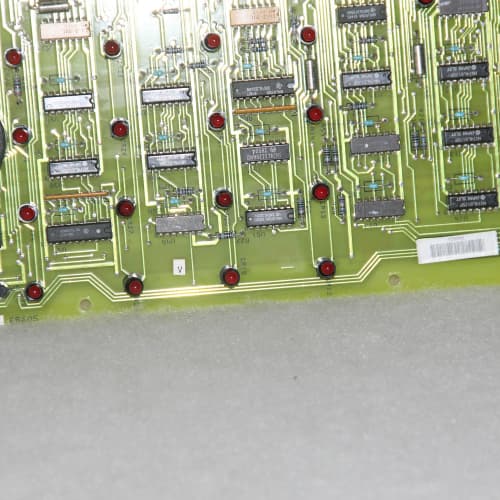
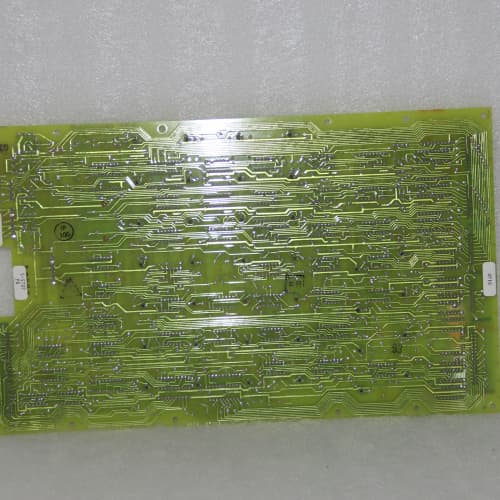
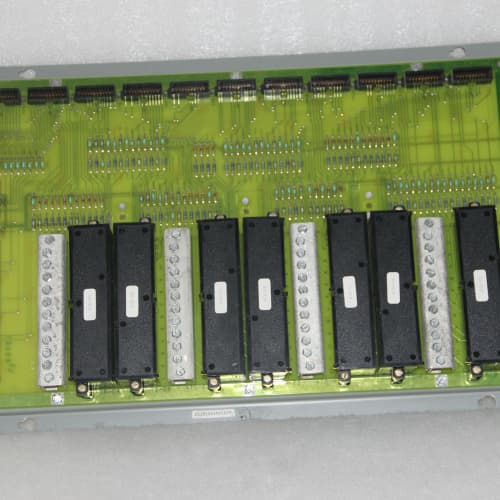
This is the brain. The DS3820MSAB runs the show—executing your speed governor, temperature monitoring, and emergency trip logic. It’s a ruggedized single-board computer that lives in the Mark VI cabinet, polling I/O at 10ms intervals and firing off actuator commands faster than you can blink. Without this module, your turbine is just a very expensive paperweight.
Compared to the DS3800MSAB, the “20” revision bumps the processor from 75 MHz to 100 MHz and doubles the DRAM to 32 MB. That extra headroom matters if you’re running advanced diagnostics or predictive maintenance algorithms alongside the base control logic—the older unit would occasionally hit 90% CPU utilization during startup sequences. Field data shows a 25% reduction in watchdog timer resets on the DS3820 revision. That said, the backplane connector stayed identical, so it’s a mechanical drop-in. Just verify your firmware revision before swapping.
Key Technical Specifications
| Parameter | Value / Range |
|---|---|
| Processor | 100 MHz RISC (PowerPC-based) |
| DRAM | 32 MB (EDO) |
| Flash Memory | 8 MB (program storage) |
| NVRAM | 512 KB (retention settings) |
| Ethernet Ports | 2 x 10/100Base-TX (control network A/B) |
| Serial Ports | 2 x RS-232 (console + service) |
| I/O Backplane Interface | VME-style 128-pin connector |
| Scan Rate (Typical) | 10 ms for core logic; 50 ms for diagnostics |
| Watchdog Timer | Hardware-implemented, 100 ms timeout |
| Status LEDs | Run, Fault, Network A Link, Network B Link, Boot |
| Operating System | GE proprietary real-time kernel (VxWorks-based) |
| Battery Backup | 3.6V lithium for RTC and NVRAM (user-replaceable) |
| Operating Temp | 0°C to +60°C |
| Dimensions (W x H x D) | 250 x 160 x 35 mm (9.8 x 6.3 x 1.4 in) |
Compatible Replacement Models
| Model | Classification | Notes & Labor Estimate |
|---|---|---|
| DS3820MSAB | ✅ Drop-in Replacement | Target model. Same pinout, same firmware interface. No hardware changes. |
| DS3800MSAB | ✅ Drop-in Replacement | Earlier CPU. 75 MHz processor, 16 MB DRAM. Will run most control logic but may struggle with heavy diagnostic loads. Accepts the same firmware revisions—we’ve seen plants swap these without issues if they’re not running advanced analytics. |
| DS3800MSAC | ⚠️ Software Compatible | The “C” revision uses a different Ethernet controller chip. Network packets are handled slightly differently—we’ve seen occasional ARP timeouts in high-traffic networks. You’ll need to recompile your application if it uses raw socket connections. Budget 2-3 hours for testing. |
| IS420ESWBH3A | ❌ Hardware Incompatible | This is a Mark VIe controller, not Mark VI. Different backplane (PCI Express vs. VME). Different power requirements (5V only vs. 5V/12V). Physically won’t fit in the Mark VI rack. Do not attempt. |
Frequently Asked Questions (FAQ)
Q: Can I upgrade the firmware on the DS3820MSAB myself?
Yes, but there’s a sequence. You’ll need the GE Toolbox software running on a Windows laptop with a serial or Ethernet connection. The firmware upgrade takes about 15-20 minutes and involves erasing the flash, uploading the new image, and verifying the checksum. The critical step: back up your existing configuration first. We’ve seen plants rush this and lose their tuned PID gains. If the upgrade fails midway, the board enters a bootloader mode and can be recovered—but that’s a 45-minute process. We recommend doing this during a planned outage.
Q: What’s the difference between the DS3820MSAB and the DS3820MSAC?
There’s actually no published “C” revision for the MSAB. The suffix letters are sequential: “A” is the base, “B” indicates a minor board spin (usually component obsolescence). We haven’t seen a “C” in the field. If a vendor is selling a “DS3820MSAC,” verify the PCB part number—it might be a custom unit for a specific OEM or a mislabeled board. Always match the full model number on the GE sticker.
Q: How do I know if my DS3800MSAB is compatible with a DS3820MSAB swap?
The backplane is identical—the boards have the same mechanical and electrical interface. However, the DS3820 requires firmware revision 8.0 or higher. Your DS3800 may be running 7.x. You’ll need to upgrade the firmware on the DS3820 to match your I/O rack and exciter configuration. The Toolbox software will let you export your configuration from the DS3800 and import it to the DS3820—just test it on the bench first.
Q: The battery on my DS3820MSAB is dead. Can I replace it while the board is powered?
Technically yes, but we don’t recommend it. The battery holder is on the top edge of the board—you can slide it out without removing power, but there’s a risk of shorting the battery holder’s contacts to the chassis. The safer approach: shut down the turbine, power off the rack, replace the battery (it’s a standard CR123A or BR2032, check the GE label), then boot the board. The NVRAM might lose the RTC time but won’t lose the configuration—NVRAM is non-volatile. We’ve replaced hundreds of these without data loss.
Q: What’s the typical scan rate for the core control loop?
Default is 10 ms for the speed/load control loop. However, this depends on your application’s size. Some complex applications with 50+ analog inputs and 30+ control algorithms might push that to 15-20 ms. The watchdog timer is set to 100 ms, so if the scan exceeds that, the board will reset. If you’re seeing watchdog resets, check your CPU utilization via the Toolbox—if it’s consistently above 80%, you need to simplify your logic or upgrade to a newer platform.
Q: Can I run two DS3820MSABs in redundant (hot-standby) configuration?
Yes, the Mark VI supports dual processors in a primary/backup arrangement. The two boards communicate over dedicated serial links and share the same I/O over the backplane. The switchover is automatic and typically takes 2-3 seconds—fast enough for normal turbine ops but not for safety-critical functions (overspeed protection should be hardwired). To configure redundancy, you’ll need a copy of GE’s Redundancy Configuration Guide (GEK-106825) and about 4 hours of engineering time.
Q: I’m replacing a damaged CPU. Do I need to reload the I/O configuration?
No, the I/O configuration is stored on the I/O modules, not on the CPU. The DS3820MSAB reads the modules’ configuration at boot via the backplane. What you will lose is the application logic (if it’s only stored in the CPU’s flash) and the tuned PID gains (if they weren’t saved to NVRAM). Always export your configuration to a file before any hardware swap—it’s a 5-minute step that saves hours of re-tuning.
Q: What’s the lead time on a surplus DS3820MSAB?
We typically keep 2-3 units in stock. Domestic US: 2-3 business days for ground; overnight if ordered by 2 PM EST. International: 5-7 days via DHL, but customs delays are common in countries like India and Brazil—budget an extra 2-3 days. We recommend using our customs broker for smoother handling.
Q: The MSAB has a “Boot” LED that flashes green during startup. What does a solid amber Boot LED mean?
That indicates a firmware corruption or a failed POST (power-on self-test). The board has detected a CRC error on the flash memory. You’ll need to enter the bootloader via the serial console and reload the firmware from a laptop. We’ve seen this happen after a power glitch—the writing process was interrupted. If the LED stays amber after 30 seconds, contact us; we can either walk you through the recovery or process a return.
EMERSON SLS1508
GE SR469-P5-HI-A20
ABB CM10/200
Molex SST-SR4-CLX-RLL
 Email: sales@plcfcs.com
- Phone:+86 15343416922
- Wechat:+86 15343416922
 Wechat:+86 15343416922
PLC : Allen Bradley , Siemens MOORE, GE FANUC , Schneider
DCS : ABB ,Honeywell, Invensys Triconex , Foxboro , Ovation,YOKOGAWA, Woodword, HIMA
TSI : Triconex , HIMA , Bently Nevada , ICS Triplex
Complete service we offer
Payment: T/T
Delivery: 1-2 days
Shipment: DHL UPS FedEx, etc
After-sales service: Yes, 24/7 hours