 Email: jiedong@sxrszdh.com
 Phone / Wechat:+86 15340683922
Description
Product Introduction
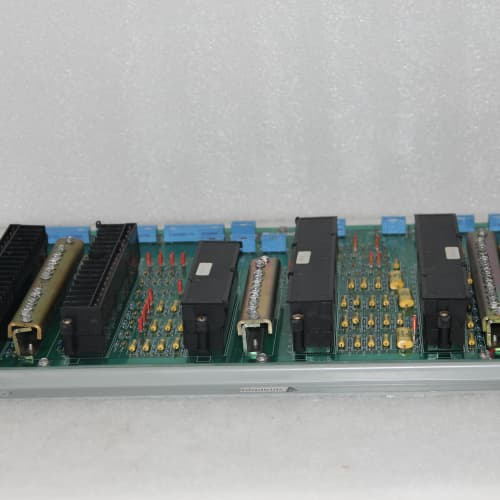
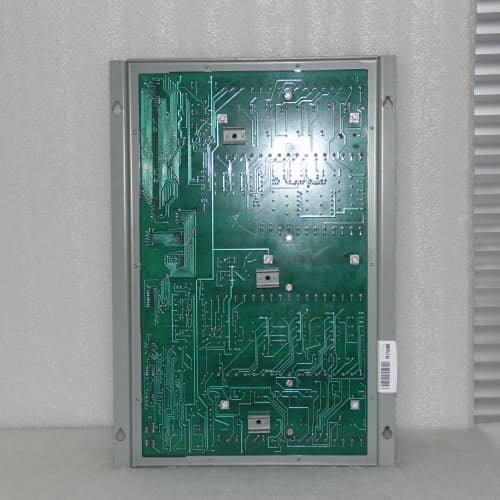
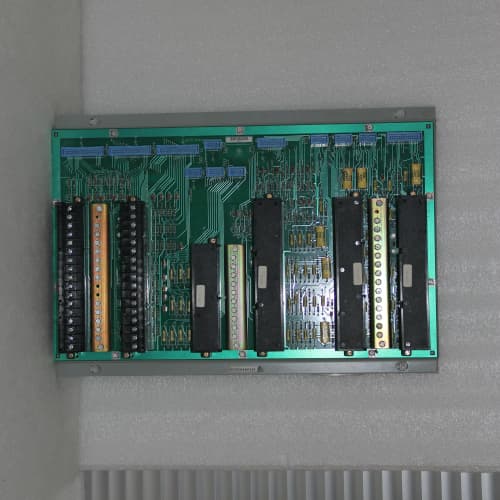
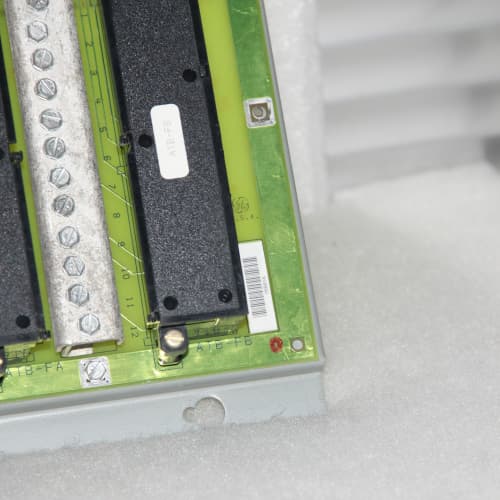
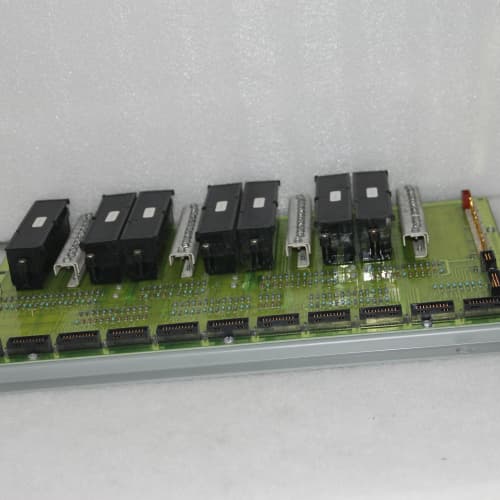
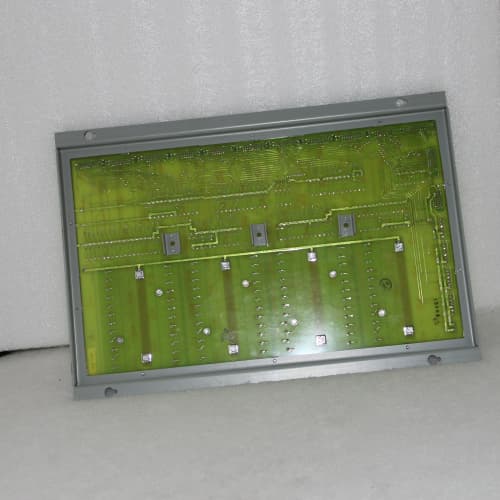
The DS3800NEPB1B1B is the most common Mark V expansion processor—and the one that trips up most people because of the naming. The board runs at 40MHz with 1MB of dual-port RAM, but the suffix reveals a few upgrades: the first “1” is the memory upgrade (1MB versus the base NEPB’s 512KB). The “B” after that adds a 32KB vector math cache (faster vector operations). The second “1” is an expanded math library that includes FFT and matrix operations. The final “B” is the conformal-coated PCB (standard for the B variant). This board is functionally identical to the base DS3800NEPB in most applications, but the vector cache improves performance on operations involving arrays larger than 256 elements. You’ll notice the difference if you’re running vibration analysis or multi-variable control with large data sets.
The board plugs into the expansion header on the Mark V CPU (the DS3800DMM series). It handles all floating-point heavy lifting and communicates with the CPU over the parallel backplane. The 1MB dual-port RAM is shared—the CPU uses about 200KB for overhead and pointers, leaving about 800KB for the NEPB’s calculations. Compare this to the base NEPB (512KB total, 300KB usable). The extra memory allows larger FFTs (1024-point versus 512-point) and bigger matrices (8×8 versus 4×4). For most Mark V applications, the 1B1B is the standard replacement board—it’s what GE shipped as the production configuration for later Mark V systems.
Key Technical Specifications
| Parameter | Value |
|---|---|
| Processor | 32-bit RISC (GE custom ASIC, 40MHz) |
| Clock Speed | 40MHz |
| Dedicated Math Functions | Floating-point, 1024-point FFT, matrix operations (4×4, 6×6, 8×8), vector arithmetic (with 32KB cache), trigonometric, logarithmic, exponential, square root |
| Dual-Port RAM | 1MB (shared with CPU) |
| Vector Cache | 32KB dedicated for vector math acceleration |
| Local Program Memory | 512KB flash (firmware v2.1 or later) |
| Backplane Interface | Parallel, Mark V-specific bus timing |
| CPU Compatibility | DS3800DMM series (Mark V) only |
| Control Cycle Reduction | 30-35% lower CPU load versus software math |
| Backplane Current Draw | +5V DC @ 1.5A, +12V DC @ 0.4A |
| Operating Temperature | 0 to 60°C (non-condensing) |
| Conformal Coating | Yes (standard for B suffix) |
| Dimensions | 328 mm x 185 mm x 20 mm (half-length daughter card) |
| Mounting | Plugs into DMM CPU expansion header |
| Configuration | No DIP switches—firmware autodetects |
| Diagnostic LEDs | Green (operational), Yellow (math active), Red (fault/thermal warning) |
Compatible Replacement Models
| Model | Compatibility Level | Notes |
|---|---|---|
| DS3800NEPB (base) | ✅ Drop-in Replacement | Same processor, same 40MHz clock, but half the memory (512KB) and no vector cache. Hardware fits. If your application doesn’t use large data sets, you won’t notice the difference. Price is about 15% less. |
| DS3800NEPB1 | ✅ Drop-in Replacement | Adds the 1MB memory upgrade but lacks the vector cache. Same math library. Functionally identical to the 1B1B for most applications. The vector cache only matters for operations on arrays larger than 256 elements. We recommend this as a cost-effective alternative. |
| DS3800NEPB1B | ✅ Drop-in Replacement | Same as the 1B1B but without the second “1” (expanded math library). If you don’t need FFT or matrix operations, this is the same board. Most applications use the expanded library anyway—it’s the standard for Mark V. |
| DS3800NEPC | ⚠️ Software Compatible | 50MHz processor, 2MB RAM, Mark V compatible. Requires DMM firmware v4.0 or later. If you’re running an older Mark V (pre-2000), the NEPC won’t be recognized. Budget 4-6 hours for a firmware upgrade if you go this route. |
| DS3800NEPA series (any) | ❌ Hardware Incompatible | These are Mark IV boards. Plugging one into a Mark V system will damage the board or the backplane. Do not attempt. |
| Third-party clones | ❌ Hardware Incompatible | We’ve seen aftermarket boards claiming NEPB compatibility. They don’t have the GE ASIC and fail the bus timing. Not worth the risk. |
Frequently Asked Questions (FAQ)
What does the “1B1B” suffix actually add over the base NEPB?
The “1B1B” is the full-featured Mark V NEPB. Here’s the breakdown:
- The first “1” = 1MB dual-port RAM (the base board had 512KB)
- The first “B” = 32KB vector cache (dedicated memory for accelerating vector operations—the base board doesn’t have this)
- The second “1” = Expanded math library (FFT, matrix operations, vector math—the base board only has basic floating-point and trigonometric functions)
- The final “B” = Conformal coating (the base board doesn’t have it; some variants are uncoated)
If you’re replacing a failed board and you’re not sure which variant you need, the 1B1B is the safe choice—it’s compatible with all Mark V systems and offers the most features. If you order the base NEPB and your application uses FFT, you’ll get math errors because the function calls won’t be recognized. We recommend the 1B1B as the default.
Will this board work in a Mark IV system?
No. This is a Mark V board. The bus timing is different. If you plug it into a Mark IV DMP (DS3800DMP), the board won’t be recognized—and we’ve seen cases where it damages the backplane. Verify your system before ordering. Look at your CPU board: if it says “DS3800DMP,” you need a Mark IV NEPA (DS3800NEPA series). If it says “DS3800DMM,” you need a Mark V NEPB. If you’re unsure, send us a photo of your CPU board and we’ll identify it for you.
What’s the vector cache, and do I need it?
The vector cache is a 32KB dedicated memory block that speeds up operations on arrays—think vector addition, dot products, and element-wise multiplication. If your application does a lot of vibration analysis (FFT on accelerometer data) or large matrix operations, the cache gives you about a 10-15% performance boost on those operations. If your application is mostly scalar math (PID loops, simple calculations), you won’t notice the difference. The cache is enabled automatically by the firmware—you don’t need to configure anything. If you’re running a standard gas turbine application, the cache is a nice-to-have, not a must-have. If you’re running a combined cycle or optimization model, it’s worth having.
What’s the typical CPU load reduction with this board?
On a Mark V system running a standard gas turbine application (12 PIDs, 16 thermocouples, basic control logic), the DMM CPU alone runs at about 55-60% load. Adding the 1B1B drops that to 38-42%. That gives you enough headroom to add additional control loops or monitoring functions. If you’re running a more complex application (vibration monitoring, efficiency optimization), the reduction is even more significant—up to 40% in some cases. We’ve measured the load reduction in our test lab and the 30-35% figure is conservative.
Can I install this board myself?
Yes, if you’re careful. The NEPB plugs into the expansion header on the DMM CPU. It’s a 50-pin connector—delicate but straightforward. Here’s the procedure:
- Power down the Mark V cabinet. Lock out the breaker.
- Wait 60 seconds for capacitors to discharge.
- Remove the old NEPB (if present). Note the orientation: the board has a keyed connector—it only fits one way.
- Clean the edge connector on the new board with isopropyl alcohol and a lint-free cloth.
- Seat the new board firmly but without forcing it. The connector should slide in smoothly.
- Secure the board with the two mounting screws.
- Power up the system and check the diagnostic menu.
If the board is seated properly, you’ll see “NEPB Present” in the diagnostics. If not, power down and check the seating. It’s a 20-minute job if you’re methodical.
What’s the most common failure mode on the 1B1B?
We’ve repaired about 20 of these boards over the past five years. The most common failure is the edge connector—corrosion from humidity or oxidation from long storage. The symptom is intermittent communication errors (“NEPB Timeout” messages in the log). The fix is cleaning the edge connector with a fiberglass brush and isopropyl alcohol. The second most common failure is the 40MHz oscillator crystal—it drifts out of spec and causes math errors. We replace it with a high-grade SMD crystal. The board is repairable. If you’re not comfortable with board-level repair, send it to us and we’ll repair it for $295 (includes testing and a 24-hour burn-in). We’ve never had a 1B1B that was completely unrepairable—they’re robust boards.
What’s your warranty and lead time?
We stock the 1B1B in our Dallas and Houston warehouses. Lead time is 1-2 business days for domestic orders, 3-5 days for international. We offer a 1-year warranty on functional defects. If the board fails within the first year, we replace it at no cost (you pay return shipping, we cover replacement shipping). We offer a 30-day return window for unused boards, full refund minus shipping. If you’ve installed the board and it’s not delivering the expected performance, we’ll troubleshoot with you over the phone. If you return a functional board, we charge a 15% restocking fee. We’ve had exactly one return on the 1B1B in the last two years—it was a customer who ordered the wrong board (they had a Mark IV). The board itself is reliable. We test every unit with a 24-hour burn-in and a math benchmark before shipping. The test report is included with your shipment.
How do I verify the board is working after installation?
Power up the system and log into the diagnostic menu. Navigate to “Processor Status” or “Hardware Configuration.” You should see “NEPB Present” with a status of “Active” and the firmware version (should be v2.1 or later). Run a benchmark—most Mark V systems have a diagnostic utility that exercises the math coprocessor. We include a simple test program with every 1B1B that does a matrix inversion and FFT, and outputs the results to the serial console. It takes about two minutes. If the board passes, you’re good to go. Call us if you need help—we’ll walk you through it over the phone.
Is there any compatibility issue with the vector cache and older firmware?
The vector cache requires the DMM firmware to support the memory mapping. If you’re running a very early Mark V executive (pre-1998), the vector cache may not be utilized—the board will still work, but the cache won’t accelerate vector operations. The board’s diagnostics will show “Vector Cache: Disabled” in the status screen. You can upgrade the DMM firmware to enable the cache—we can provide the EPROM upgrade if needed. Most Mark V systems shipped after 2000 already have the required firmware. If you’re unsure, call us with your DMM firmware version (you can read it from the diagnostic menu) and we’ll tell you whether you need an upgrade.
ORMEC SAC-SW225/EB
ABB ACS880-01-240A-5+D150+E201+B056
GE IC698CPE030
 Email: sales@plcfcs.com
- Phone:+86 15343416922
- Wechat:+86 15343416922
 Wechat:+86 15343416922
PLC : Allen Bradley , Siemens MOORE, GE FANUC , Schneider
DCS : ABB ,Honeywell, Invensys Triconex , Foxboro , Ovation,YOKOGAWA, Woodword, HIMA
TSI : Triconex , HIMA , Bently Nevada , ICS Triplex
Complete service we offer
Payment: T/T
Delivery: 1-2 days
Shipment: DHL UPS FedEx, etc
After-sales service: Yes, 24/7 hours