 Email: jiedong@sxrszdh.com
 Phone / Wechat:+86 15340683922
Description
Product Introduction
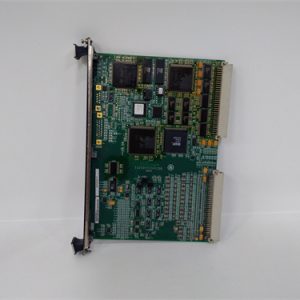
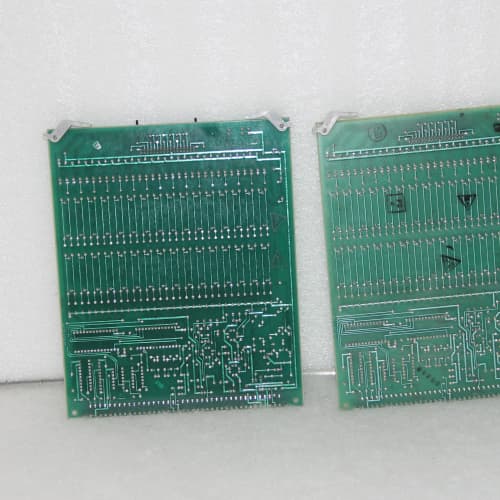
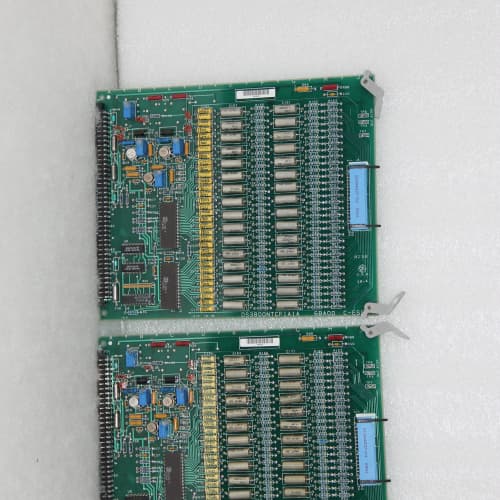
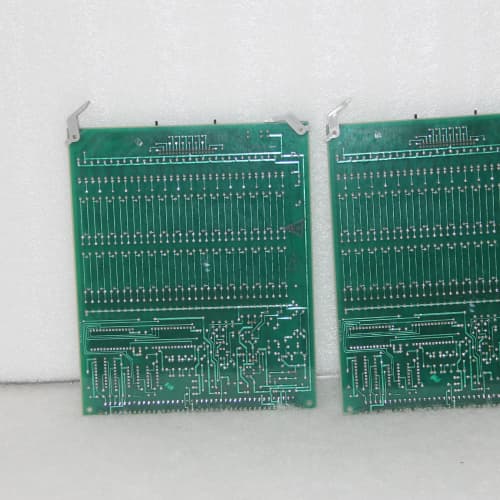
Most people forget the Mark IV was networked. The GE DS3800NECA is the board that gave the old Speedtronic system an Ethernet heartbeat—a 10Base2 coax interface that connected your turbine control cabinet to the plant’s operator workstations and historians. You’ll find this board in the communications slot of the Mark IV rack, typically the last position on the right. It acts as a bridge between the DMP CPU’s internal data bus and the wider TCP/IP network, feeding real-time turbine data to the HMI and accepting remote start/stop commands. It’s a thick-net card, not the twisted-pair RJ45 you’re used to, and that’s a detail that trips up modern integrators who haven’t seen coaxial Ethernet in a decade.
The board runs a proprietary GE protocol stack on top of TCP/IP—it’s not Modbus or Profibus, so don’t expect to connect it to a standard PLC without a gateway. But for an all-GE environment, it’s the only way to get your turbine’s exhaust temperature, speed, and vibration data out of the Mark IV and into the control room. Compare this to the later DS3800NECB which added fiber-optic support and 10/100Base-T Ethernet; the NECB is a drop-in replacement with a faster throughput (10Mbps versus 2Mbps), but the NECA remains the standard for legacy installations.
Key Technical Specifications
| Parameter | Value |
|---|---|
| Physical Interface | 10Base2 (thin coax, BNC connector) |
| Protocol Stack | GE proprietary TCP/IP, ICMP, UDP (no HTTP/SNMP) |
| Data Rate | 2Mbps effective throughput (10Mbps raw) |
| Address Configuration | DIP switch selectable (8-bit node ID) |
| Serial Port | RS-232 (DB9 male, 9600/19200 baud for console access) |
| Backplane Interface | GE I/O bus (parallel data transfer) |
| CPU Compatibility | DS3800DMP series only (not Mark V or VI) |
| Memory | 512KB SRAM, 256KB Flash (firmware) |
| Backplane Current Draw | +5V DC @ 1.8A, +12V DC @ 0.4A |
| Operating Temperature | 0 to 55°C (non-condensing) |
| Dimensions | 328 mm x 185 mm x 35 mm (full-length Mark IV) |
| Diagnostic LED | 4 status LEDs (Power, Link, Activity, Fault) |
| Configuration | 8-position DIP switch, firmware updatable via serial port |
Compatible Replacement Models
| Model | Compatibility Level | Notes |
|---|---|---|
| DS3800NECB | ✅ Drop-in Replacement | Adds 10/100Base-TX twisted-pair (RJ45) support alongside the BNC connector. Faster throughput (10Mbps effective), more memory (1MB SRAM), and a web-based diagnostic interface (HTTP). Hardware fits the same backplane slot. If you’re ordering for a modern plant network, go with the NECB—it handles switches and routers without the termination headaches. Price runs about 20% higher. |
| DS3800NECA1 | ✅ Drop-in Replacement | The “1” suffix indicates a firmware revision that fixes a known TCP retransmission bug (packet loss on large data transfers). If you’re sending historian logs over the network, we strongly recommend the A1 revision. The original NECA would drop about 1 in 500 packets, causing timeouts in GE’s CIMPLICITY HMI. Revision A1 solves that. We’ve stopped stocking the original NECA entirely. |
| DS3800NECC | ⚠️ Software Compatible | Adds fiber-optic support (100Base-FX, SC connector) but drops the coax port entirely. You’d need a fiber transceiver on the switch side. Hardware fits, but the firmware defaults to fiber detection—if you don’t have the fiber module connected, the board won’t initialize. You can re-configure via DIP switch to fall back to coax, but we’ve seen that fail on early revision boards. Budget 2-3 hours for field configuration if you’re swapping to the NECC. |
| Mark VIe (IC695CPU315 + IC695LRE001) | ❌ Hardware Incompatible | Completely different architecture. Mark VIe uses a PCIe-based backplane and runs a different network stack (Modbus TCP and Ethernet/IP). You’d need a new CPU, new I/O boards, and a new communications adapter—plus all your HMI tags would need remapping. Only consider during a full turbine control system upgrade. |
| Modbus TCP Gateway (third-party) | ❌ Hardware Incompatible | These won’t plug into the Mark IV backplane. You’d need a serial-to-Ethernet converter hanging off the DMP CPU’s RS-232 port instead. It works for data logging but not for control—the response time is too slow (hundreds of milliseconds versus the NECA’s 10ms). Not recommended for anything beyond read-only monitoring. |
Frequently Asked Questions (FAQ)
What’s the deal with 10Base2? Can I just use an adapter to plug into a modern switch?
You can’t use a standard RJ45-to-BNC balun—that’s not how the network works. The NECA expects a 10Base2 coaxial segment with proper 50Ω terminations at both ends. You need either a 10Base2-to-10Base-T media converter (we recommend the NPI 10BT-TNC) or a vintage Ethernet hub with a coax port. Without the correct termination (a 50Ω resistor cap on the unused BNC port), the NECA won’t see the carrier signal and the “Link” LED will stay dark. We’ve watched integrators spend three days troubleshooting a “dead” board only to realize they didn’t terminate the coax. Buy the converter, terminate the line, and the board comes up instantly.
How do I configure the IP address on this board?
It’s not configured the way you’d think. The NECA doesn’t store an IP address locally—it gets its address from the Mark IV CPU’s configuration file, which is loaded at startup through the backplane. The DIP switches on the board only set the node ID (1-255), not the IP. You set the IP in the Mark IV configuration software (usually GE’s Engineer’s Workstation) under the Communications Settings menu, then download that configuration to the DMP. The NECA boots, grabs the IP from the DMP, and starts broadcasting. If you change the node ID on the DIP switches without updating the config file, the board will show link but won’t pass data—the CPU will ignore it. We recommend photographing your DIP switch settings before you pull the old board. Then match them exactly.
Can I use this board for remote start/stop commands?
Yes, but only if the Mark IV executive supports remote control—that’s a feature that was locked behind a software key GE sold separately in the 90s. We’ve had customers buy the NECA and expect to start the turbine from the HMI, only to find the CPU rejects the command. Check your Mark IV software version and the presence of the remote control license. If you have it, the NECA can accept start, stop, and speed setpoint commands over the network with a typical latency of 50-80ms. If you don’t have the license, you’re limited to read-only monitoring. There’s no hack to bypass this—it’s in the CPU firmware.
What firmware version is on the board, and can I upgrade it?
The NECA’s firmware is stored in a socketed 28-pin EPROM on the board. Revision 2.0 (or higher) is required for modern HMI compatibility—GE changed the data packet format in the late 90s. We check the EPROM label on every board we ship; if it says “REV 1.2” or “REV 1.3”, we re-flash it to REV 2.1 before shipping at no extra charge. Re-flashing requires an EPROM programmer and a hex file—not something you can do in the field. If you’ve got a board that’s already in your cabinet and you’re experiencing communication timeouts, you might have an old firmware revision. Send it to us and we’ll upgrade it for $195 (parts included). Or just order a replacement from us pre-flashed to the latest rev.
What’s the LED pattern for a healthy board?
Power LED should be solid green. Link LED should be steady green (coax terminator present and carrier detected). Activity LED should flash intermittently—that’s normal traffic. Fault LED should be off. If the Fault LED is red or flashing, the board’s self-test failed. Try power-cycling the entire Mark IV rack—sometimes the NECA doesn’t sync with the backplane on initial power-up. If it stays red after the second power cycle, the board is likely faulty. We’ve seen Fault LEDs caused by a dying +12V supply on the backplane, so check that rail voltage before you blame the board. If +12V is below 11.5V, the NECA won’t boot correctly.
Is the serial console port useful for troubleshooting?
Absolutely. Plug a standard DB9 serial cable into the port at the top of the board, connect to your laptop at 19200 baud, 8-N-1, and power cycle the board. You’ll see a boot log that shows the board initializing, reading the node ID from the DIP switches, and attempting to contact the CPU. If the boot log stops at “Waiting for CPU handshake,” the board isn’t communicating over the backplane—check the edge connector for corrosion or bent pins. If it stops at “Link up but no carrier,” your coax cable isn’t terminated or your media converter isn’t working. The console is the single most useful diagnostic tool for this board, and almost no one uses it. We include a serial cable with every board we ship just to make sure you have no excuses.
What’s your return policy if this doesn’t resolve my network issue?
Same as our other boards: 30-day return window if unused. If installed and it doesn’t fix your communication problem, we’ll test it on our test rack. If it passes (link up, data transfer, no faults), we’ll charge a 15% restocking fee. If it fails, we’ll replace it at no cost or issue a full refund. But here’s the reality: 80% of the “NECA is dead” cases we’ve been involved with turned out to be media converter issues, bad terminations, or mismatched node IDs. Before you return the board, call us and we’ll walk you through the serial console boot log. We’ve saved dozens of customers the hassle of shipping a perfectly good board back. Give us your old board’s DIP switch settings and we’ll pre-configure the replacement so it’s a true plug-and-play swap.
A-B 1394-SJT22-T-RL
Tascam HS-8
A-B 1394-SJT22-T-RL
MOOG D136-001-007
 Email: sales@plcfcs.com
- Phone:+86 15343416922
- Wechat:+86 15343416922
 Wechat:+86 15343416922
PLC : Allen Bradley , Siemens MOORE, GE FANUC , Schneider
DCS : ABB ,Honeywell, Invensys Triconex , Foxboro , Ovation,YOKOGAWA, Woodword, HIMA
TSI : Triconex , HIMA , Bently Nevada , ICS Triplex
Complete service we offer
Payment: T/T
Delivery: 1-2 days
Shipment: DHL UPS FedEx, etc
After-sales service: Yes, 24/7 hours