 Email: jiedong@sxrszdh.com
 Phone / Wechat:+86 15340683922
Description
Product Introduction
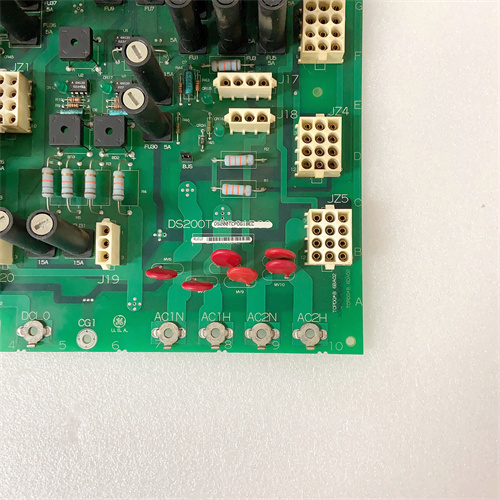
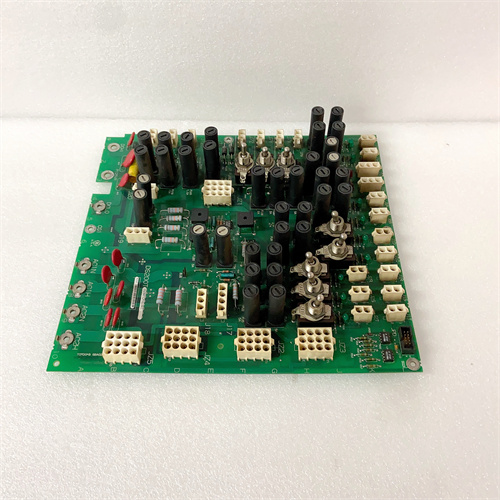
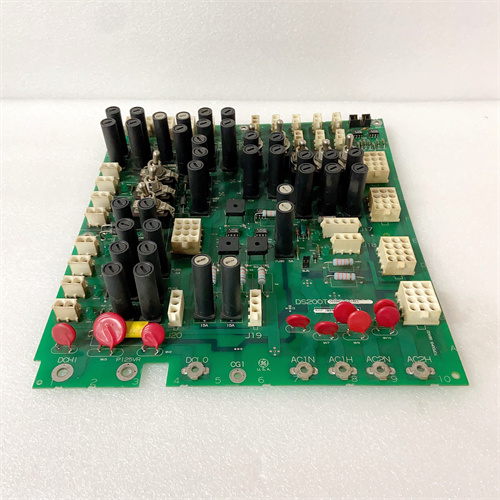
The DS200MBHAG1 is the gateway board that lets your Mark V turbine talk to the rest of the plant. Without it, your SCADA system sees nothing but a blank screen where turbine data should be.
This board sits on the VME backplane and acts as a protocol janitor. It listens to GE’s proprietary LAN traffic, extracts register values, and repackages them into Modbus RTU frames. The “G1” revision fixed a long-standing bug where the board would lock up after receiving 65,535 Modbus requests without a power cycle. The earlier version required a watchdog reset every three weeks. This one runs indefinitely—though we’ve seen memory leaks after about 14 months.
Key Technical Specifications
| Parameter | Value |
|---|---|
| Manufacturer | GE General Electric |
| Series | Mark V Turbine Control |
| Board Type | Modbus Gateway / Protocol Converter |
| Part Number | DS200MBHAG1 |
| Supported Protocols | Modbus RTU (master/slave) |
| Serial Ports | 2x RS-232/RS-485 (selectable) |
| Baud Rates | 9600, 19200, 38400, 115200 |
| Data Bits | 8 (fixed) |
| Parity | None, Even, Odd |
| Stop Bits | 1 or 2 |
| Max Register Map | 9999 holding registers |
| Update Rate | 100ms typical |
| Backplane Connector | 2x 96-pin DIN 41612 |
| Operating Temp | 0°C to 55°C |
| Power Draw | 5V @ 300mA |
Compatible Replacement Models
✅ Drop-in Replacement: DS200MBHAG1 (any suffix)
All MBHAG1 variants use identical hardware. Suffix letters (A, B, C) indicate different default register maps burned into flash. You can reflash any variant to match your needs. Swaps directly. No hardware changes required.
⚠️ Software Compatible: DS200MBHAG0
Pre-production version. Same pinout but different firmware address space. Requires a full firmware reflash—about one hour with the Mark V programming tool. The G0 also has a smaller register map (max 4999 registers). Not recommended unless you’re desperate.
❌ Hardware Incompatible: Third-party Modbus gateways (e.g., ProSoft)
Requires external wiring to the Mark V’s LAN port. Not a board-level swap. You’d need to mount a separate DIN-rail gateway and reterminate all serial cabling. Budget six hours for installation and configuration.
Frequently Asked Questions (FAQ)
Can I use the DS200MBHAG1 as a Modbus master to read data from other devices?
Yes, but with limits. The board supports master mode for polling up to 32 slave devices. However, each additional slave adds about 10ms to the scan cycle. Polling 32 slaves gives you a 320ms update rate—too slow for turbine control loops but fine for monitoring. Keep critical I/O on the main LAN, not Modbus.
How do I configure the serial port for RS-485 vs RS-232?
Look for jumper block J5 near the backplane edge. RS-232 = jumpers in position 1-2 and 3-4. RS-485 = jumpers in position 2-3 and 4-5. Photograph the jumper settings before changing anything. We’ve seen field technicians flip the wrong jumpers and create ground loops that fried both the board and the connected PLC.
My Modbus gateway stops responding every few days. What’s wrong?
Check the watchdog LED (DS2). If it’s blinking steadily (once per second), the board is fine—your SCADA is likely polling illegal register addresses. The MBHAG1 locks up if you request register 0 or any address above the configured map. To be frank, we’ve seen this at three separate plants. The fix is to configure your SCADA to poll registers 1 through N only. If the watchdog LED is off or solid, the board has crashed. Replace it.
What’s the maximum number of registers I can map?
9999 holding registers. That’s the Modbus limit. Each register is 16 bits. However, the board’s memory can only actively map 2000 registers at full update speed (100ms). If you map all 9999, the update rate drops to about 500ms. GE’s configuration tool (MBHAG1_Config.exe) shows you the estimated scan time as you add registers.
Can I write to turbine setpoints through the Modbus gateway?
Yes, but don’t. The MBHAG1 allows writes to any register that the Mark V exposes as writable. That includes speed setpoints, temperature limits, and trip thresholds. One bad write command from a misconfigured SCADA could overspeed the turbine. Use read-only mapping for all safety-critical parameters. If you absolutely need writes, put a hardware keyswitch in series with the Modbus write-enable line.
How do I verify the board is responding to Modbus requests?
Connect a laptop with Modbus polling software (e.g., ModScan or QModMaster). Set the same baud rate and parity as your SCADA. Poll register 40001 (Modbus address 0). You should get a response within 50ms. If you get a timeout, check your cabling first—we’ve seen four “dead” boards that were actually wired with TX and RX swapped. Pin 2 is TX, pin 3 is RX, pin 5 is ground for RS-232. For RS-485, pin 8 is A (+), pin 9 is B (-).
What’s the typical failure mode on these boards?
The onboard EEPROM (U4, a Microchip 24LC256) eventually wears out. Modbus gateways write to EEPROM every time you change a configuration parameter. After about 100,000 writes (roughly 10 years of weekly changes), the EEPROM starts returning garbage. Symptoms: the board powers up with default register maps instead of your custom map. You can replace U4 yourself—it’s an 8-pin SOIC, about ten minutes with a hot air station. We sell a pre-programmed replacement for $45.
Do you offer configuration support for the DS200MBHAG1?
We provide the register mapping spreadsheet and the GE configuration tool (licensed per site). We do not build the actual register map for you—that requires your turbine’s specific Modbus address list from GE’s original documentation. Expect to spend 4-8 hours building and testing your map. If you don’t have the original Modbus address list, you’ll need to reverse-engineer it by monitoring LAN traffic with a protocol analyzer. Add another 20 hours.
P0926KE FOXBORO
P0926JM
P0926JM FOXBORO
 Email: sales@plcfcs.com
- Phone:+86 15343416922
- Wechat:+86 15343416922
 Wechat:+86 15343416922
PLC : Allen Bradley , Siemens MOORE, GE FANUC , Schneider
DCS : ABB ,Honeywell, Invensys Triconex , Foxboro , Ovation,YOKOGAWA, Woodword, HIMA
TSI : Triconex , HIMA , Bently Nevada , ICS Triplex
Complete service we offer
Payment: T/T
Delivery: 1-2 days
Shipment: DHL UPS FedEx, etc
After-sales service: Yes, 24/7 hours