 Email: jiedong@sxrszdh.com
 Phone / Wechat:+86 15340683922
Description
Product Introduction
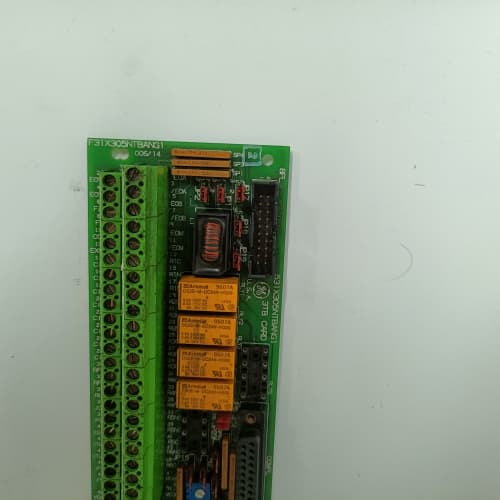
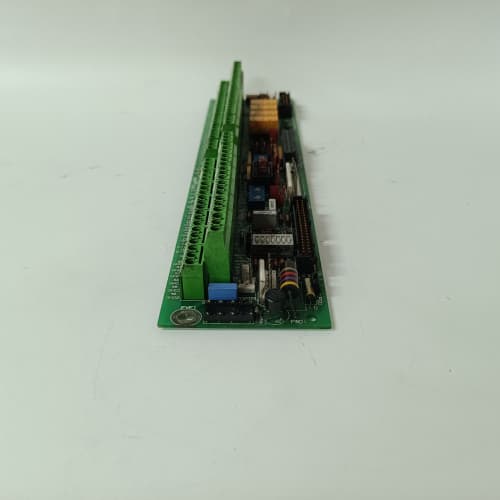
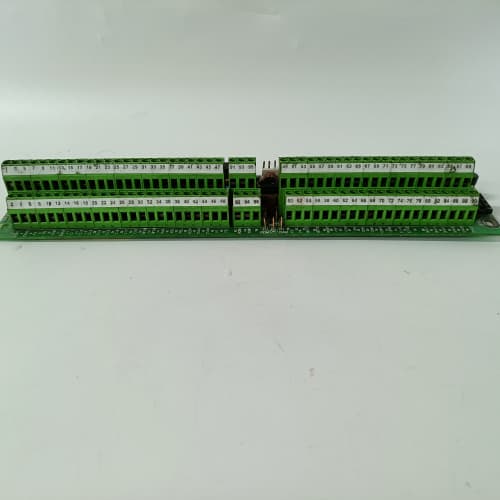
Field operators need to see what’s happening—and sometimes make adjustments—without opening the cabinet or walking back to the control room. The GE 531X301DCCAKM1 is the 301-series expansion chassis with an integrated keypad and alphanumeric display, mounted on the front panel. It’s the same DC-powered expansion rack as the ADM1, but with a local operator interface for diagnostics, parameter viewing, and basic control.
The model number is descriptive: “301” is the expansion series, “DC” indicates DC input power, “CA” is the standard Class A filter (DC version), “K” adds the keypad/display, and “M1″ is the revision with the 80mm fans and the DC power module. The keypad is a 4-line x 20-character alphanumeric LCD with a 16-button keypad. It’s pre-wired to the backplane’s serial header (slot 2), allowing the operator to view drive parameters, fault logs, and status information. The display is backlit (green) and readable in low-light conditions. The chassis includes the DC power module (24V, 48V, or 125V input), the expansion interface (fiber or cable), and the 80mm fans (45 CFM). The depth is 14.5” (slightly deeper than the standard ADM1 because of the display module). One caveat: the keypad uses the backplane’s serial port, so you can’t use that port for anything else. The keypad is also simple—it’s not a full HMI, just a text-based interface.
Key Technical Specifications
| Parameter | Value / Specification |
|---|---|
| Manufacturer | General Electric (GE) Drive Systems |
| Model Number | 531X301DCCAKM1 |
| Series | 301 Series Expansion Rack (Keypad) |
| Slot Capacity | 10 slots (accepts 210, 211, 212, 213 series boards) |
| Chassis Height | 6U (266mm / 10.5″) |
| Chassis Width | 19″ (standard rack mount) |
| Chassis Depth | 14.5″ (includes display module and rear shroud) |
| Display Type | 4-line x 20-character alphanumeric LCD (green backlight) |
| Keypad Type | 16-button membrane keypad (numbers, arrows, enter, escape) |
| Display Interface | Pre-wired to backplane serial header (slot 2) |
| Display Communication | RS-485 (9600 baud, 8-N-1) |
| Display Power | 5V DC (from backplane, 100mA max) |
| Power Supply | DC input (24V, 48V, or 125V DC, jumper-selectable) |
| Power Outputs | 5V @ 10A, ±15V @ 2A, 24V @ 3A |
| Power Module | Field-replaceable cartridge (531X301PWR1) |
| Expansion Interface | Fiber-optic (up to 100m) or backplane cable (up to 3m) |
| Expansion Ports | 2x ST fiber ports + 1x 50-pin cable header |
| Cooling Fans | 2x 80mm, 45 CFM each, 12V DC |
| Fan Connector | .093″ connector |
| Fan Noise | 40 dBA (at 1 meter) |
| Backplane | 531X301D10ABG1 (expansion-specific) |
| Cable Exit | Rear shrouded cable trough (removable) |
| Keying | Slot-specific keying bars (pre-installed) |
| Dimensions (Overall) | 19″ x 10.5″ x 15.5″ (with display and rear shroud) |
| Weight | 20 lbs (9.1 kg) empty, 27 lbs with boards and PSU |
| Finish | Powder-coated steel (RAL 7035) |
| Operating Temp | 0° to 50°C |
| Certification | UL 508A, CE marked |
Compatible Replacement Models
✅ Drop-in Replacement:
- 531X301DCCAKM1 directly replaces 531X301DCCAKM0. The KM1 has the same keypad/display, same interface, same pre-wiring. The only difference is the fans—the KM1 has improved fan bearings. Swap your boards and power module over.
- 531X301DCCADM1 (standard expansion chassis): The KM1 is the keypad version of the ADM1. If you need a local operator interface, the KM1 is a direct replacement. The backplane and slot spacing are identical. Move your boards over—the keypad is pre-wired.
⚠️ Software Compatible (Requires Recompile):
- The keypad requires firmware support in the logic board: The keypad is a serial device that communicates with the logic board. The logic board must have the keypad driver installed in its firmware. If you’re using a standard logic board without keypad support, the keypad won’t work. You’ll need to flash the logic board with firmware that includes the keypad driver. This is typically a 1-hour job if you have the .hex file and a programmer. Without the driver, the keypad will just show a blank screen.
❌ Hardware Incompatible:
- 531X301DCCAKM1 with a master chassis that doesn’t support expansion: The master must have the expansion interface connector.
- 531X301DCCAKM1 with fiber-optic cable longer than 100 meters: The fiber transceivers are rated for 100 meters max.
- 531X301DCCAKM1 with a logic board that doesn’t have a serial port: The keypad uses the serial port (RS-485) on the backplane. If your logic board doesn’t have this port or if it’s used for something else, the keypad won’t work.
Frequently Asked Questions (FAQ)
Q: What can I do with the keypad?
A: The keypad is a simple operator interface. You can: (1) View drive parameters (speed, current, torque), (2) View fault logs, (3) Reset faults, (4) Change parameter values (if the logic board allows), and (5) Monitor status registers. The keypad is text-based—it’s not graphical. It’s designed for basic diagnostics and operator adjustments.
Q: Does the keypad work with all logic boards?
A: No. The keypad requires a logic board that supports the keypad driver. Not all GE logic boards have this. Typically, the 531X211KLDAAG1 and 531X213 series boards support the keypad. Check your board’s manual for “keypad” or “operator interface” support. If your board doesn’t support it, the keypad will be blank.
Q: How do I interface the keypad with the logic board?
A: The keypad is pre-wired to the backplane’s serial header (slot 2). The logic board communicates with the keypad over a simple serial protocol (RS-485, 9600 baud). The keypad driver on the logic board handles all the communication. No additional wiring is needed—it’s plug-and-play (if the firmware supports it).
Q: Can I use the keypad with a third-party logic board?
A: Possibly, if the third-party board supports the same serial protocol and has the correct driver. The keypad uses a standard serial protocol (9600 baud, 8-N-1), so in theory it could work with any board that understands the command set. However, we haven’t tested third-party boards. The keypad is designed for GE logic boards.
Q: The KM1 has 80mm fans. Is that enough?
A: Yes. The keypad adds minimal heat (less than 1W). The expansion chassis has a lower thermal load than a master chassis. The 80mm fans (45 CFM) are sufficient for a fully loaded expansion chassis. The keypad doesn’t block airflow—it’s on the front panel.
Q: Does the keypad have a backlight?
A: Yes. The keypad has a green LED backlight. It’s readable in low-light conditions. The backlight draws about 50mA from the 5V rail. If your backplane is heavily loaded, the backlight won’t affect performance.
Q: Can I use the keypad with the expansion chassis in a daisy chain?
A: Yes. The keypad is on the expansion chassis, not on the master chassis. The expansion chassis is connected to the master chassis via fiber or cable. The keypad communicates with the master logic board through the expansion interface. It works the same way as if the keypad were on the master chassis. The expansion chain doesn’t affect the keypad.
Q: The keypad has 16 buttons. What do they do?
A: The keypad has numbers (0-9), arrow keys (up, down, left, right), Enter, Escape, and two function keys (F1, F2). The exact function of each key depends on the logic board’s firmware. Typically, arrow keys navigate menus, Enter selects an item, Escape goes back, and F1/F2 are user-defined.
Q: Can I change parameters with the keypad?
A: Yes, if the logic board allows it. The keypad can change parameter values (e.g., speed setpoint, acceleration time). However, the logic board’s firmware must be configured to allow parameter changes. Some boards are read-only by default. Check your board’s settings.
Q: Does the KM1 come with the expansion cable?
A: No. The expansion cable (fiber-optic or backplane ribbon) is not included. The KM1 has the ports for the cable, but you need to supply the cable separately. We recommend using the GE-supplied cable—standard fiber or ribbon cables may not work with the proprietary connector. We stock the cables if you need them.
Q: Is the keypad water-resistant?
A: No. The keypad is a membrane type, but it’s not sealed for washdown. It’s rated for indoor use only (IP20). If you need a water-resistant keypad, you’d need to mount it in a sealed panel. The KM1 is designed for dry indoor environments.
Q: What’s the typical lifespan of the keypad?
A: The membrane keypad is rated for 1 million key presses. The LCD backlight is rated for 50,000 hours (about 5.7 years). After that, the backlight may dim. The keypad module is not field-repairable—if it fails, you need to replace the entire keypad module. We stock replacement keypad modules.
A-B 1747-L552
EPRO MMS6210
SIEMENS 6AV6642-0BA01-1AX1
ICS TRIPLEX T9110
 Email: sales@plcfcs.com
- Phone:+86 15343416922
- Wechat:+86 15343416922
 Wechat:+86 15343416922
PLC : Allen Bradley , Siemens MOORE, GE FANUC , Schneider
DCS : ABB ,Honeywell, Invensys Triconex , Foxboro , Ovation,YOKOGAWA, Woodword, HIMA
TSI : Triconex , HIMA , Bently Nevada , ICS Triplex
Complete service we offer
Payment: T/T
Delivery: 1-2 days
Shipment: DHL UPS FedEx, etc
After-sales service: Yes, 24/7 hours