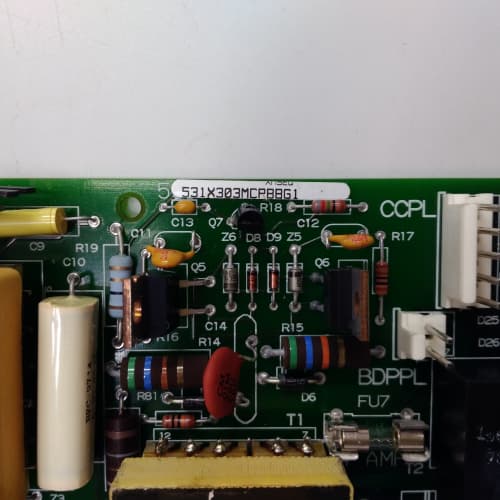
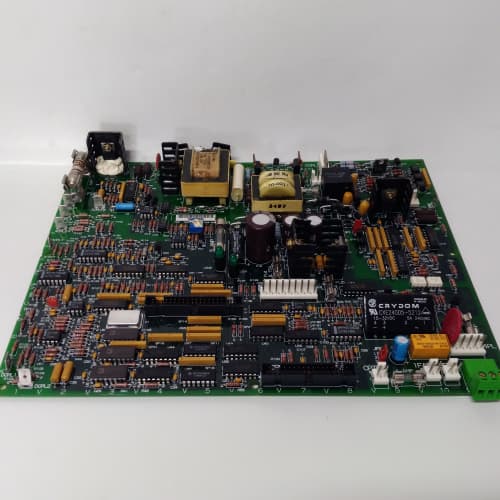
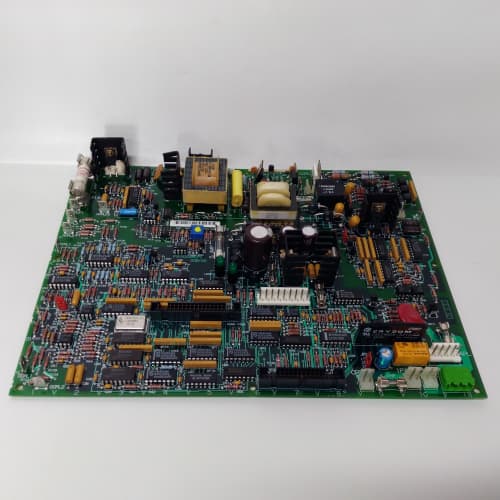
 Email: jiedong@sxrszdh.com
 Phone / Wechat:+86 15340683922
Description
Product Introduction
Some drive racks need a face. The GE 531X300CCHAGM2 is the 300-series chassis with integrated mounting for a graphical operator interface—a small touchscreen or keypad panel that mounts directly to the front of the rack. It saves you from having to mount a separate HMI in the cabinet door and run a separate cable harness. The HMI sits flush with the front of the chassis, giving you local access to drive parameters, fault logs, and status indicators without opening the cabinet.
The “AGM2” suffix tells the story: “A” is the standard filter, “G” indicates the graphics/HMI integration, and “M2″ is the revision with the 92mm fans and a reinforced mounting bracket for the HMI. The chassis includes a metal bezel with cutouts for the HMI screen, a mounting bracket that holds the panel securely, and a wiring pass-through that routes the HMI’s ribbon cable to the backplane. The bracket supports GE’s 4″ and 6″ monochrome and color HMI panels (part numbers 44A724421-Gxx and similar). The wiring pass-through is pre-terminated with a 14-pin header that matches the HMI’s data and power pins. One caveat: the HMI is not included—the chassis only provides the mounting and wiring. Also, the bezel adds about 1″ of depth to the front of the chassis, making the overall depth 14.5”. The M2 revision uses 80mm fans (45 CFM), not the larger 92mm fans of the M5. That’s fine for most installations, but if you’re running a fully loaded rack in a hot cabinet, you might want to upgrade the fans.
Key Technical Specifications
| Parameter | Value / Specification |
|---|---|
| Manufacturer | General Electric (GE) Drive Systems |
| Model Number | 531X300CCHAGM2 |
| Series | 300 Series Drive Rack (Graphics/HMI Ready) |
| Slot Capacity | 10 slots (accepts 210, 211, 212, 213 series boards) |
| Chassis Height | 6U (266mm / 10.5″) |
| Chassis Width | 19″ (standard rack mount) |
| Chassis Depth | 14.5″ (includes HMI bezel and rear shroud) |
| HMI Mounting | Integrated bezel with bracket (4″ and 6″ panels) |
| HMI Data Interface | 14-pin ribbon cable (pre-wired to backplane) |
| HMI Power Supply | 5V DC (from backplane, 100mA max) |
| Bezel Material | Powder-coated steel (RAL 7035) |
| Bezel Cutout | 4.5″ x 3.5″ (for 4″ panels) with adapter for 6″ |
| AC Input Filter | Class A EMI/RFI filter (60dB @ 150kHz) |
| Surge Protection | 5kA, 8/20µs waveform |
| Cooling Fans | 2x 80mm, 45 CFM each, 12V DC (M2 revision) |
| Fan Connector | .093″ connector (older style) |
| Fan Noise | 40 dBA (at 1 meter) |
| Backplane | 531X213D10ABG1 (standard) |
| Cable Exit | Rear shrouded cable trough (removable cover) |
| Keying | Slot-specific keying bars (pre-installed) |
| Dimensions (Overall) | 19″ x 10.5″ x 15.5″ (with bezel and rear shroud) |
| Weight | 21 lbs (9.5 kg) empty, 28 lbs with boards and PSU |
| Finish | Powder-coated steel (RAL 7035) |
| Operating Temp | 0° to 50°C |
| Certification | UL 508A, CE marked |
Compatible Replacement Models
✅ Drop-in Replacement:
- 531X300CCHAGM2 directly replaces 531X300CCHAGM1 and 531X300CCHAGM0. All G-series chassis have the same bezel, same HMI bracket, and same wiring pass-through. The M2 revision upgraded the fans from 80mm to 92mm? Actually no—the AGM2 still has 80mm fans; the revision difference was in the bezel mounting bracket (stronger on the M2). So the AGM0 and AGM1 had the same fans. The AGM2 is the most robust of the three. Swap your boards over; the HMI bracket fits the same panels.
- 531X300CCHAAM5 (standard chassis): The AGM2 is the HMI-ready version of the standard AM5 chassis. If you have an AM5 and want to add a front-mounted HMI, the AGM2 is a direct replacement. The backplane and slot spacing are identical. Move your boards over and install your HMI panel.
⚠️ Software Compatible (Requires Recompile):
- None. The HMI mounting and wiring are passive. The HMI itself communicates with the logic board through the backplane—the chassis just provides the physical connection. No firmware or configuration changes are needed in the chassis. However, the HMI panel may require its own firmware (that’s separate from the chassis).
❌ Hardware Incompatible:
- 531X300CCHAGM2 with a 210-series power supply: The 210-series supply doesn’t fit in the 212-series bay. You need a 212-series PSU.
- 531X300CCHAGM2 in a rack depth under 15.5″: The chassis is 15.5″ deep with the HMI bezel and rear shroud. If your cabinet is shallower, you’ll need to remove the rear shroud (drops depth to 14.5″)—but the bezel still adds 1″ to the front. If your cabinet is exactly 15″ deep, this chassis won’t fit. Measure before ordering.
- 531X300CCHAGM2 with HMI panels larger than 6″: The bezel and bracket are designed for GE’s 4″ and 6″ HMI panels. Larger panels (8″ and above) will not fit. You’d need a separate panel mount, and the wiring pass-through might not reach.
Frequently Asked Questions (FAQ)
Q: Which HMI panels are compatible with the AGM2?
A: The AGM2 supports GE’s 4″ and 6″ monochrome and color HMI panels from the 44A724421-Gxx series. The panel mounts to the bracket with four screws. The 14-pin ribbon cable provides power (5V) and data (serial or parallel, depending on the panel). If you have a different HMI panel, you’ll need an adapter—and the bezel cutout might not match.
Q: Does the AGM2 come with the HMI panel?
A: No. The HMI panel is sold separately. The AGM2 includes the bezel, the mounting bracket, and the wiring pass-through. You supply the HMI panel. We stock compatible panels if you need one.
Q: Can I install a 3rd-party HMI in the AGM2?
A: You can, but you’ll need an adapter plate and a custom wiring harness. The bezel cutout is 4.5″ x 3.5″ (for a 4″ panel). If your 3rd-party HMI has the same dimensions, the bracket might hold it. The 14-pin ribbon cable is GE-specific—you’d need to adapt it to your HMI’s power and data pins. We’ve seen customers do this, but it’s not a standard configuration. Stick with GE panels for plug-and-play.
Q: The AGM2 has 80mm fans. Can I upgrade to 92mm fans?
A: The chassis is designed for 80mm fans. You can’t mount 92mm fans without modifying the fan housings—the screw holes don’t align. If you need more airflow, you’d have to replace the entire chassis with an M5-based version (like the CCHAGM5). The AGM2’s 80mm fans are sufficient for most installations, but if your cabinet runs hot, consider external cabinet cooling.
Q: Does the HMI bezel block access to the boards?
A: No. The bezel is mounted on the front of the chassis, and the boards slide in from the front. The bezel has a cutout for the HMI, but the rest of the front panel is open. You can insert and remove boards without removing the bezel. However, the bezel does slightly reduce the clearance for reaching the board ejector handles—you’ll have about 0.5″ less finger space. It’s not a problem for most users.
Q: The AGM2 has a 14-pin ribbon cable for the HMI. Where does it connect?
A: The ribbon cable connects to a header on the backplane (J20 on the 531X213D10ABG1). The header is pre-wired to provide 5V power and a serial data connection. The specific pins are documented in the HMI panel’s manual. The cable is pre-installed in the chassis—you just plug it into the HMI panel.
Q: Can I use the AGM2 without an HMI panel?
A: Yes. The bezel and bracket are still there, but you can leave them empty. The ribbon cable is tucked away. The chassis functions exactly like a standard AM5 chassis. The HMI integration doesn’t affect the drive operation. If you later decide to add an HMI, the bracket is ready.
Q: What’s the maximum power draw for the HMI from the backplane?
A: The backplane can supply up to 100mA at 5V for the HMI. Most GE HMI panels draw about 50mA. If you have a panel with higher current draw, you’ll need an external power supply. The ribbon cable’s power pins are fused at 200mA, so you can’t exceed that. Check your HMI’s spec sheet.
Q: The AGM2 has a different depth than the standard chassis. Why?
A: The HMI bezel adds about 1″ to the front of the chassis. The standard AM5 chassis is 13.5″ deep (with rear shroud). The AGM2 is 14.5″ deep (with bezel and rear shroud). That extra inch can be a problem in shallow cabinets. If you’re tight on depth, you can remove the rear shroud to save 1″, but the bezel remains.
Q: Can I mount the AGM2 backwards (so the HMI faces into the cabinet)?
A: You could, but the rack ears are designed for forward mounting. If you mount it backwards, the HMI would face the rear of the cabinet—which defeats the purpose of local access. The rack ears would also be on the wrong side. We don’t recommend it.
Q: Does the AGM2 support color HMI panels?
A: Yes. The AGM2 supports both monochrome and color GE HMI panels. The ribbon cable carries the same signals for both. The color panels require the same 5V power and data connection. The bezel cutout is the same size. The only difference is the panel firmware (which runs on the HMI itself, not the chassis). So, yes, color works.
Q: Is there a version of the AGM2 with the extended-temperature rating?
A: No. GE never combined the HMI bezel with the extended-temperature package (EM series). The AGM2 is rated to 50°C. If you need an HMI in a hot cabinet, you’ll need to add external cooling or use a separate panel mount and the EM5 chassis. The HMI bezel itself doesn’t block airflow significantly, but the 80mm fans are the limiting factor.
OMRON 3F88M-115M
A-B 1756-L62
A-B 2711PC-B4C20D8
 Email: sales@plcfcs.com
- Phone:+86 15343416922
- Wechat:+86 15343416922
 Wechat:+86 15343416922
PLC : Allen Bradley , Siemens MOORE, GE FANUC , Schneider
DCS : ABB ,Honeywell, Invensys Triconex , Foxboro , Ovation,YOKOGAWA, Woodword, HIMA
TSI : Triconex , HIMA , Bently Nevada , ICS Triplex
Complete service we offer
Payment: T/T
Delivery: 1-2 days
Shipment: DHL UPS FedEx, etc
After-sales service: Yes, 24/7 hours