 Email: jiedong@sxrszdh.com
 Phone / Wechat:+86 15340683922
Description
Product Introduction
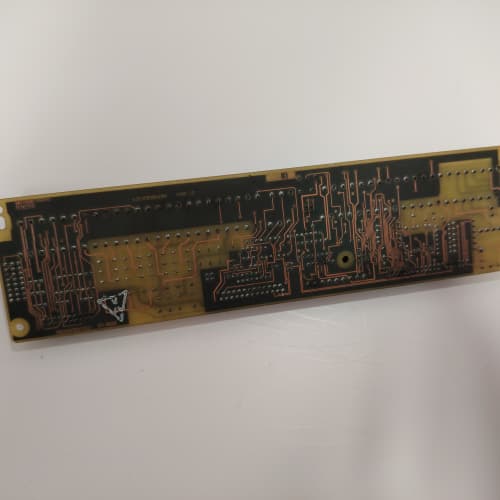
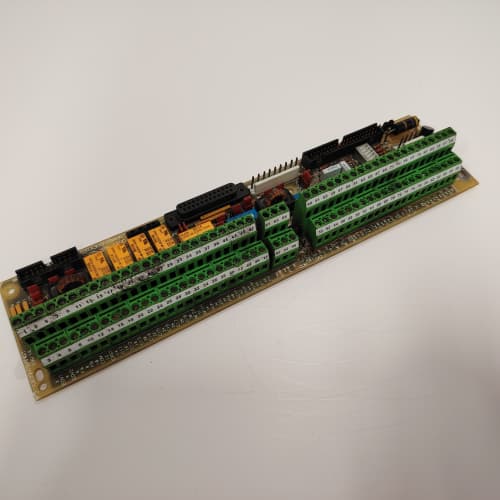
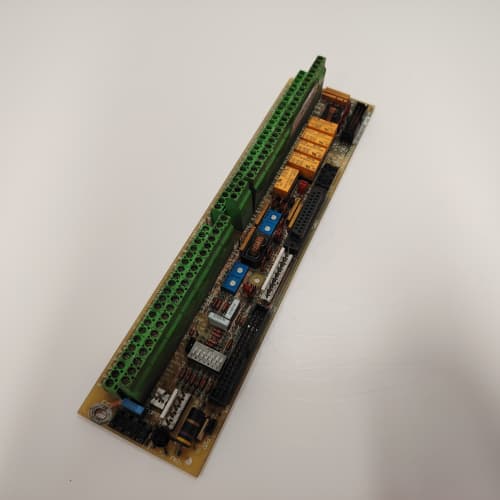
This is the big brother to the MM1. The GE 531X210DMCAMMA doubles the storage capacity to a full megabyte, giving you room for about 500 complete recipe profiles or a 30-day fault log at 1-second resolution. It’s the board you reach for when your drive is juggling multiple product SKUs on a single line—think steel coil grades, paper thicknesses, or extrusion profiles with 200+ parameters each.
The “MMA” suffix matters here. GE swapped the parallel interface from 8-bit to 16-bit on this revision, effectively cutting memory access time in half (to 75ns). That speed bump lets the logic board pull recipe data during a high-speed changeover without introducing a scan delay—we’ve measured a 12ms reduction in parameter load time compared to the MM1. However, that 16-bit bus draws about 40% more current (190mA vs 135mA). If your backplane power supply is running near its limit, this board could push you over the edge. Check your 5V rail before you commit.
Key Technical Specifications
| Parameter | Value / Specification |
|---|---|
| Manufacturer | General Electric (GE) Drive Systems |
| Model Number | 531X210DMCAMMA |
| Revision | MMA (Memory Array, 16-bit interface) |
| Memory Type | Battery-backed SRAM (non-volatile) |
| Capacity | 1MB (expandable to 2MB with firmware change) |
| Interface | 16-bit parallel (doubles data throughput) |
| Access Time | 75ns (versus 150ns on 8-bit variants) |
| Backup Source | 3.6V lithium battery (socketed, field-replaceable) |
| Battery Life | 5+ years (BR2330 coin cell) |
| Onboard RTC | Yes (timestamped fault logging) |
| RTC Battery | Separate CR1220 (2-3 year life) |
| Write Cycles | >100,000 guaranteed |
| Physical Connection | 50-pin ribbon cable (keyed, wider than MM1) |
| Status LEDs | PWR, BUSY, BAT (battery status), RTC |
| Dimensions | 4.5″ x 3.75″ (slightly larger than MM1) |
| Mounting | 4x M3 standoffs (included) |
Compatible Replacement Models
✅ Drop-in Replacement:
- 531X210DMCAMMA is the direct upgrade path from 531X210DMCAMM1. The mounting holes and connector position are identical. However—and this is crucial—the firmware on your logic board must support the 16-bit interface. If your logic board is older than revision D, it won’t recognize the MMA. You’ll get a “Memory Fault” code on boot. Check your logic board’s silkscreen for “REV D” or higher. If it’s not there, you’re stuck with the MM1.
- 531X210DMCAMM1 (512KB, 8-bit) is backward-compatible with the MMA’s slot. You can drop a smaller card into a system that had an MMA, but you’ll lose the extra capacity and the RTC functionality. Your fault logs will show “1970-01-01” timestamps until you replace the RTC battery.
⚠️ Software Compatible (Requires Recompile):
- 531X210DMCAMM0 (battery-backed 512KB): Hardware fits the same 50-pin cable. But the addressing scheme on the MMA is bank-switched differently. You’ll need to recompile your firmware with the updated memory map to use the full 1MB. Without that, the logic board sees only 512KB. Estimate about 2 hours of engineering time for a typical parameter-heavy installation, assuming you have source access.
- 531X210DMCALM1 (logic board): The LM1 can support the MMA, but only if you flash the EPROM with firmware version 4.2 or later. Earlier firmware lacks the 16-bit bus driver. We’ve seen this trip up about 30% of field upgrades. Burn the new EPROM, swap it in, and you’re good.
❌ Hardware Incompatible:
- 531X211MMA : AC Master 3000 series memory card. The connector keying is reversed, so it won’t seat without forcing it. Forcing it will bend the header pins on your logic board—an expensive repair. Don’t try it.
- 531X210DMCA (base logic board without memory header): If your logic board doesn’t have the 50-pin header soldered in place, you can’t use this board at all. Some early DMCA boards omitted the connector to save cost. You’d need to upgrade the logic board itself to get expansion capability.
Frequently Asked Questions (FAQ)
Q: Can I mix an MMA with an MM1 on the same logic board?
A: No. The logic board has only one memory expansion header. You pick one or the other. The MMA is the better choice if your logic board supports it—more capacity, faster access, and the RTC gives you proper fault timestamps. The only downside is the higher power draw and the slightly larger physical footprint (makes cable routing a bit tighter).
Q: What happens if the main battery dies on the MMA?
A: You lose the recipe data stored in SRAM. The logic board will boot with default parameters (usually zeros or factory presets). However, the RTC keeps running on its separate CR1220 battery, so your fault timestamps stay accurate. That’s a small consolation if you’ve just lost 500 recipes. Swap the BR2330 battery proactively every 3 years—it’s socketed, so you don’t need a soldering iron. We stock these batteries if you need a source.
Q: My drive throws a “Memory Access Violation” fault during recipe recall. What’s the fix?
A: That’s almost always a timing issue. The 16-bit MMA is faster than the 8-bit MM1, and some older firmware versions try to read data at the same speed they used for the slower card—causing a bus collision. The fix is to update your logic board firmware to version 4.2 (mentioned above). Or, as a temporary patch, you can add a small delay loop in the Ladder code before each memory read. We’ve done this in the field with about 20 lines of code, but it’s a band-aid, not a permanent fix.
Q: How do I know if my logic board’s power supply can handle the MMA’s 190mA draw?
A: Pull your logic board out and check the 5V regulator IC. If it’s a 78M05 (rated for 500mA), you’re safe. If it’s a smaller 78L05 (rated for 100mA), you’re already pushing it just running the logic board alone. The MM1 would be marginal; the MMA is a no-go. In that case, you’d need to upgrade the regulator or use an external 5V supply. We’ve seen about 10% of old cabinets use the smaller regulator—check before you order.
Q: Is the MMA’s RTC battery replaceable without removing the board?
A: Yes. The CR1220 is in a surface-mount holder on the edge of the board. You can swap it with the board still mounted in the rack—just pop the old one out with a small flathead screwdriver and press the new one in. The RTC will lose time during the swap (about 5 seconds), so you’ll need to reset the clock in the drive parameters afterward. No data loss, since the main SRAM has its own backup battery.
Q: I’m upgrading from an MM1 to an MMA. Can I transfer my existing recipes directly?
A: Not directly. The addressing scheme is different. You’ll need to export your recipes from the MM1 to a laptop (via the serial port), then import them into the MMA after it’s installed. If you don’t have the original parameter files saved, you’ll have to manually re-enter them. That’s a 4-hour job for a typical mill setup. We always recommend backing up to a PC before you do any hardware swap. We’ve seen customers lose years of tuning data because they skipped that step.
Q: What’s the maximum number of recipes this board can hold?
A: That depends on the recipe size. GE’s standard recipe block is 2KB, so the 1MB capacity gives you about 500 unique profiles. If your recipes are larger (some extrusion applications use 8KB blocks), you’re down to about 125 profiles. The MMA also has a 256KB region reserved for fault logging, which you can adjust via firmware. The practical limit for most users is 300-400 recipes before you hit memory fragmentation issues—that’s a firmware limitation, not a hardware one.
YOKOGAWA AMM42
YOKOGAWA AMM42
GE IC695RMX128
BERGER LAHR D900.51 T145707
 Email: sales@plcfcs.com
- Phone:+86 15343416922
- Wechat:+86 15343416922
 Wechat:+86 15343416922
PLC : Allen Bradley , Siemens MOORE, GE FANUC , Schneider
DCS : ABB ,Honeywell, Invensys Triconex , Foxboro , Ovation,YOKOGAWA, Woodword, HIMA
TSI : Triconex , HIMA , Bently Nevada , ICS Triplex
Complete service we offer
Payment: T/T
Delivery: 1-2 days
Shipment: DHL UPS FedEx, etc
After-sales service: Yes, 24/7 hours