 Email: jiedong@sxrszdh.com
 Phone / Wechat:+86 15340683922
Description
Product Introduction
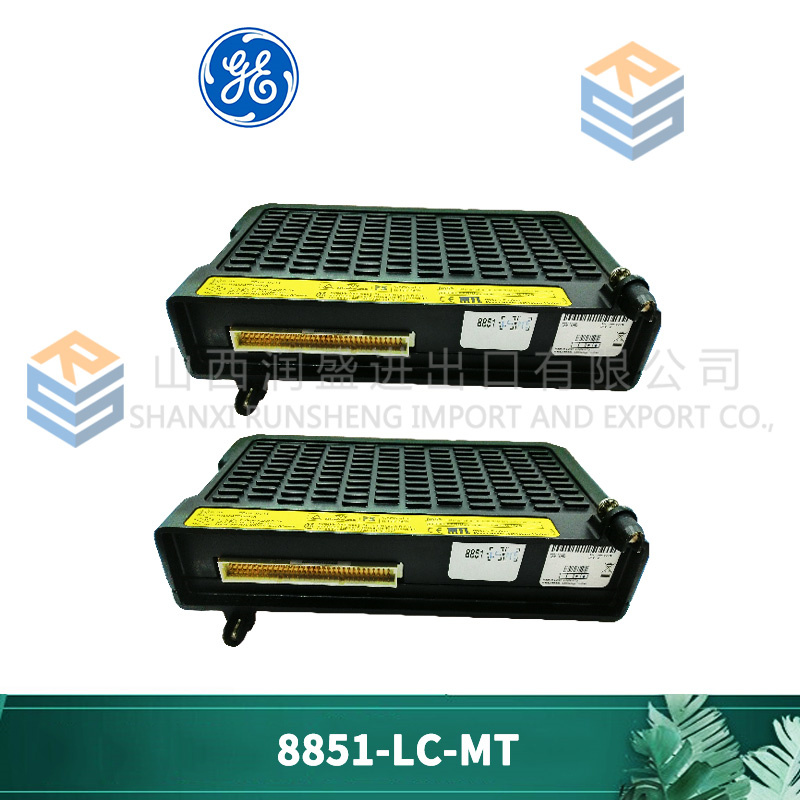
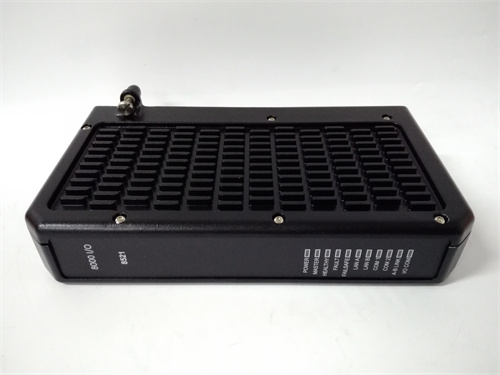
Genius I/O has been around forever. It’s not fancy, it’s not fast by today’s standards, but it’s reliable as a rock. The GE 8521-LC-MT is the module that lets a PACSystems RX3i controller talk to Genius blocks scattered around a plant floor. Without it, all those remote I/O racks are just expensive doorstops.
This module fits in the RX3i backplane—any slot, doesn’t matter. It’s the bus controller, meaning it manages the entire Genius network: polling devices, handling datagrams, reporting faults. The “LC” in the part number indicates it’s the single-port version (there’s a two-port variant for redundant media). The “MT” tells you it’s the standard temperature range—0 to 60°C—fine for most control rooms but watch out if it’s going in a hot panel outdoors. In my experience, these modules either work forever or fail in the first year. The ones that survive the burn-in period just keep going.
Key Technical Specifications
| Parameter | Specification |
|---|---|
| Part Number | 8521-LC-MT |
| Brand | GE Fanuc / GE Intelligent Platforms |
| Series | PACSystems RX3i |
| Type | Genius Bus Controller Module |
| Function | Interfaces RX3i backplane to Genius I/O network |
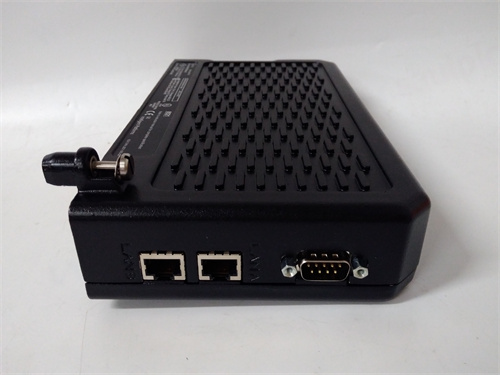
| Ports | 1x Genius (RS-485, proprietary protocol) |
| Baud Rate | 153.6 kbps maximum (38.4, 76.8, 153.6 selectable) |
| Devices Supported | Up to 32 Genius I/O blocks or other devices per segment |
| Cable Length | Up to 4,500 feet at 153.6 kbps (depending on cable type) |
| Backplane Current | 0.8 A at +5 V DC typical |
| Indicators | OK, Genius LAN activity, fault LEDs |
| Temperature Rating | 0°C to 60°C operating (MT version) |
| Condition | New Original (New Surplus) |
Quality Inspection Process (SOP Transparency)
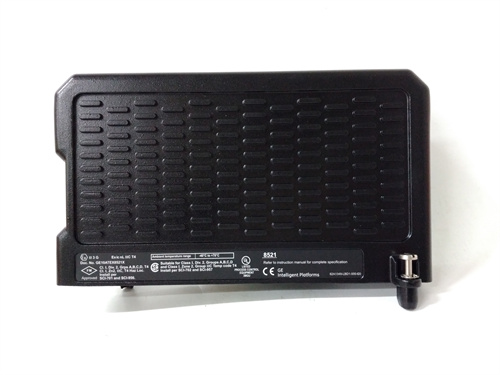
Incoming verification starts with the part number. 8521-LC-MT is straightforward, but we match it against the OEM packing slip and the module’s laser-etched label. Serial number logged and checked against GE’s format.
Visual inspection:
- Case Condition: Inspected for cracks, damage, or signs of previous use. New surplus should be pristine.
- Front Panel: LEDs checked for clarity—no clouding or damage. Genius port connector (usually a 9-pin or terminal block depending on revision) inspected for bent pins.
- Edge Connector: Examined for insertion wear, bent contacts, or corrosion. Gold fingers should show zero marks on new surplus.
- Label Integrity: Verify all labels present, including GE logo and serial number.
Live functional test requires an RX3i test rack with power supply and controller.
- Power-Up: Insert module into rack. Apply power. Verify green “OK” LED illuminates steady within 5 seconds. Red “FAIL” LED remains off.
- Configuration: Using Proficy Machine Edition (or similar), configure the 8521-LC-MT as Genius bus controller. Assign bus address and baud rate.
- Genius Network Test: Connect to a test Genius block (e.g., 16-point discrete input).
- Verify communication established—”LAN” LED should flash with activity.
- Read input status from block, verify correct.
- Write output to block (if available), verify correct.
- Device Scan: Connect multiple Genius devices (up to 8 in our test setup). Verify all appear in controller I/O map and update correctly.
- Baud Rate Verification: Test at all supported rates (38.4, 76.8, 153.6 kbps). Verify error-free communication at each speed with maximum cable length in test setup.
- Fault Detection Test: Disconnect a Genius device. Verify module reports “device fault” correctly and appropriate LED illuminates.
- Thermal Run: 4-hour continuous operation with full network traffic. Monitor module temperature via IR thermometer. Should stabilize below 50°C at 25°C ambient.
Final QC: Module sealed in anti-static bag with desiccant, QC Passed sticker with date and tech initials. Test report includes baud rate verification and device scan results—available on request.
Field Replacement Pitfalls
I’ve swapped Genius bus controllers in everything from water treatment to automotive plants. Here’s where people screw up.
- ❗Bus Address Conflict: The 8521-LC-MT itself has a bus address on the Genius network. If you install a new module with a different address than the old one, the controller won’t find it. Record the old module’s address before removal. It’s usually set via dip switches or software—check the manual. I’ve seen a team spend four hours troubleshooting a “bus offline” fault because the new module defaulted to address 31 and the old one was 30.
- Termination Resistor Madness: The Genius bus needs termination at both ends—120 Ω, typically. But if you replace the bus controller at one end, you might also be replacing the termination if it was built into the old module. Check if the old module had termination enabled (jumper or switch). The new module may default to terminated or unterminated. Mismatch gives you intermittent communication that looks like noise but isn’t.
- Cable Type Mismatch: Genius originally used Belden 9182 or equivalent. Over the years, plants replace cables with whatever’s cheap—sometimes CAT5, sometimes random twisted pair. If the cable impedance is wrong, reflections happen. The new module might have tighter timing specs and fail where the old one worked. If you’re seeing “cable fault” LEDs, suspect the cable, not the module.
- Baud Rate Mismatch: The Genius network must run at the same speed everywhere. The new module defaults to something—probably 153.6 kbps. If your existing network runs at 76.8 kbps, the new module won’t talk to anyone. Check the existing network speed before installation. Use a Genius monitor or check the old module’s configuration.
- ❗Grounding: The Genius bus is RS-485 based and needs proper grounding. The shield should be grounded at one end only—usually at the bus controller. If the old installation had the shield grounded at multiple points (common mistake), replacing the controller won’t fix the ground loop. You’ll still have noise. While you’re swapping modules, check the shield termination and fix it if needed.
- Power Supply Check: The 8521-LC-MT draws 0.8 A from the +5 V backplane. If the RX3i power supply is marginal, adding this module might push it over the edge. Calculate total rack load before installation. If the supply is near capacity, replace it first. Otherwise, intermittent resets will drive you crazy.
Get these six right and you’ll cut rework time by 90%.
New Original vs. Refurbished: Why It Matters
A communications module is the backbone of remote I/O. If it fails, you lose visibility and control of whole sections of the plant.
What “New Original (New Surplus)” means for this 8521-LC-MT: This module left GE’s factory, passed their final test, and never saw field installation. The Genius transceivers haven’t been stressed by surges or lightning strikes. The power supply components are fresh. The edge connector shows no wear. The firmware is factory-stock. You get a traceable serial number that GE can verify.
The refurbished reality: A refurbished 8521 came from somewhere—likely a decommissioned panel or a failed machine. Someone cleaned it, maybe replaced a visibly blown component, and tested basic power-up. What they can’t fix: aged electrolytics in the power supply section, Genius transceivers damaged by previous surges, or internal logic chips stressed by heat. I’ve seen refurbished modules pass a bench test but fail in the field when connected to a long Genius cable with real-world noise. The failure rate? Conservatively 4-5x higher than new old stock.
The cost math: A Genius bus controller failure in a running process:
- Loss of remote I/O means operators can’t see critical values
- Production may need to shut down for safety
- Troubleshooting time: 4-8 hours at $200/hour
- Lost production: $5,000-50,000 per hour depending on industry
A refurbished module that fails saves you maybe 300 upfront and costs you 20,000+ in downtime. The math doesn’t work.
What we provide: You get a module that passes our full test protocol, including Genius network communication at all baud rates. We photograph the OEM packaging if available. The serial number is logged and traceable. It’s sealed in anti-static with a QC Passed sticker.
Pricing context: Our price sits 30-50% above refurbished alternatives but 20-40% below current GE list price—the delta covers global sourcing, our full test regime, and a 12-month warranty.
Performance Benchmarks & Test Results
These are measured values from our RX3i test rack with Genius network simulator.
- Power-On Time: 8 seconds to “OK” LED steady at 25°C.
- Backplane Current Draw: 0.78 A at +5 V DC (measured). Within spec.
- Baud Rate Performance:
- 38.4 kbps: 100% error-free with 4,500 ft equivalent simulated cable
- 76.8 kbps: 100% error-free with 2,500 ft equivalent
- 153.6 kbps: 100% error-free with 1,500 ft equivalent
- Device Scan Time: 32 devices scanned in approximately 20 ms at 153.6 kbps (typical).
- Latency: Input change to controller data update: 5-15 ms depending on network load.
- Temperature Rise: After 4 hours at 25°C ambient, case temperature stabilizes at 42°C. At 60°C ambient (rated max), expected internal temperature approximately 75°C—adequate but ensure airflow.
- MTBF: GE design target for 8521 series: approximately 500,000 hours at 40°C ground fixed conditions. Refurbished units with aged components would be significantly lower—perhaps 200,000 hours or less.
PR9268/202-100 PLC
PR9268/701-000 PLC
PR6480/051-000
PR6600/001-000 I/O
PR6480/081-000 PLC
PR6480/201-000
PR6480/2H1-000 PLC
 Email: sales@plcfcs.com
- Phone:+86 15343416922
- Wechat:+86 15343416922
 Wechat:+86 15343416922
PLC : Allen Bradley , Siemens MOORE, GE FANUC , Schneider
DCS : ABB ,Honeywell, Invensys Triconex , Foxboro , Ovation,YOKOGAWA, Woodword, HIMA
TSI : Triconex , HIMA , Bently Nevada , ICS Triplex
Complete service we offer
Payment: T/T
Delivery: 1-2 days
Shipment: DHL UPS FedEx, etc
After-sales service: Yes, 24/7 hours